


Key Takeaways
- A B-roll voiceover ad pairs a narrated script with cinematic supporting footage instead of a talking head on camera. It works because the visuals carry the story while the voice carries the message.
- You can build one end to end with AI now. Script, visuals for every scene, background music, and final edit all generated from a short product brief.\
- Short matters. Sub-60-second video ads hit a 71.3% completion rate in 2026, with the 45 to 59 second window the strongest performer.
- A clear hook in the first three seconds, one core benefit, and a direct call to action is the format that consistently moves people from view to click.
- HeyOz handles the full B-roll voiceover ad workflow in one place starting at $44.99 a month. No production crew, no stock footage hunting, no separate music license.
What a B-Roll Voiceover Ad Actually Is
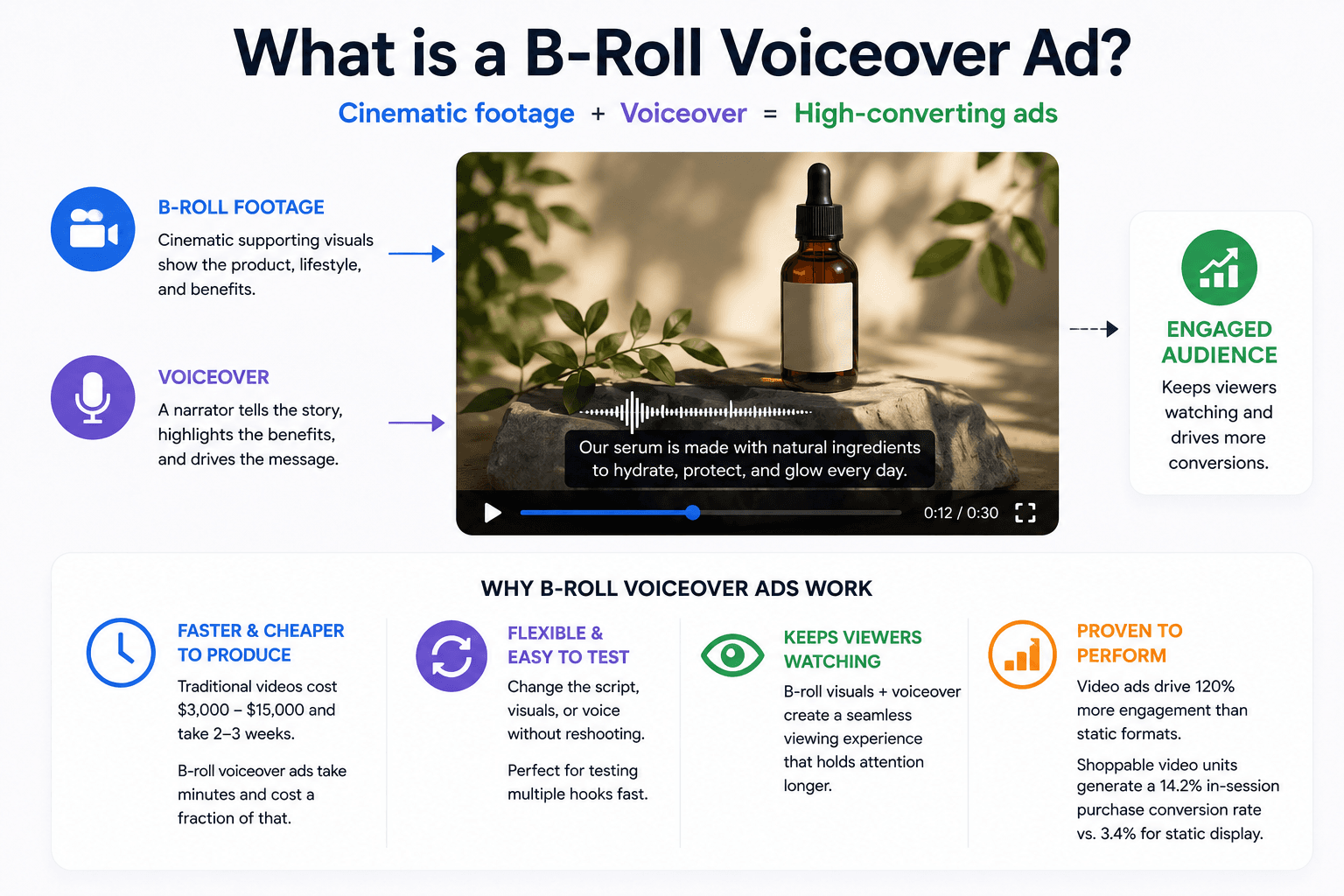
A B-roll voiceover ad is a video where a narrator speaks over cinematic supporting footage. No presenter on screen. No talking head holding a product. The visuals do the showing. The voice does the telling.
This format works for two reasons. It removes the production complexity of filming a real person on camera. And it lets you change the script, the visuals, or the voice without reshooting anything.
For DTC brands that need to test five hooks a week, that flexibility is the entire point. A traditional product video with a presenter costs between $3,000 and $15,000 and takes two to three weeks. A B-roll voiceover ad AI workflow takes minutes and costs a fraction of that.
The format performs because B-roll keeps viewers watching. The data backs this up. Video display ads drive 120% more engagement than static formats, and shoppable video units generate a 14.2% in-session purchase conversion rate compared to 3.4% for static display.
Why the AI Approach Beats Traditional B-Roll Production
The old way of making a B-roll voiceover ad meant hiring a voice actor, licensing stock footage, paying for music rights, and stitching it all together in an editor.
Each step had its own bottleneck. Stock footage rarely matched the product exactly. Voice talent took days to book. Music licensing was either expensive or limited to a handful of overused tracks.
The AI approach collapses all of that into one workflow. You give the system a product, an audience, and a goal. It writes the script, generates the visuals for each scene, composes the music, animates the clips, and stitches everything together. The whole loop runs in minutes.
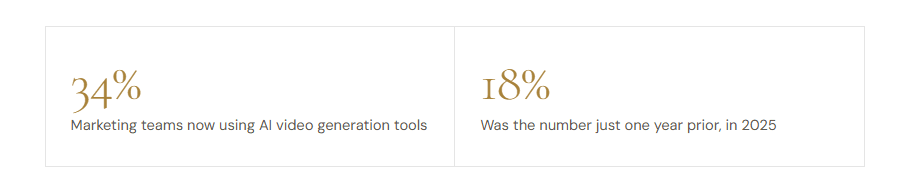
Marketers are already moving this direction fast. 34% of marketing teams now use AI video generation tools, up from 18% in 2025. The use cases that hit production quality first are exactly the ones B-roll voiceover ads cover: social clips, product demos, and short-form paid ads.
A few things the AI approach actually fixes:
- Scene-specific visuals instead of generic stock. The system reads your script and generates an image for every beat. The footage matches the words because they are built from the same brief.
- Custom music for every ad. No more reusing the same five royalty-free tracks. The model composes a track for your specific script and mood.
- Edits without reshoots. Change one line, regenerate that beat. The rest of the video stays intact.
The Five Elements of a B-Roll Voiceover Ad That Actually Converts
Most B-roll voiceover ads fail at the same five points. Get these right and the rest takes care of itself.
- A hook in the first three seconds. Over 50% of viewers decide within the first 10 seconds whether to keep watching. Your opening line and opening visual need to do the heavy lifting. Lead with the problem your audience already feels, or with a result that makes them stop scrolling.
- A script written for the ear, not the page. People listen to ads. They do not read them. Short sentences. Concrete words. No marketing jargon. Read your script out loud before generating. If it sounds awkward spoken, it will sound worse narrated.
- Visuals that match the script beat by beat. Every line of narration should have a corresponding visual that reinforces what is being said. If the script says "wakes up to clearer skin," the visual should show that, not a generic morning routine.
- One core benefit. Not three. Not five. A B-roll voiceover ad that tries to communicate everything ends up communicating nothing. Pick the single strongest reason someone should buy and build the entire ad around it.
- A direct call to action. Tell the viewer exactly what to do. Visit the page. Use the code. Try it free. Vague endings kill conversion. The ad spent 30 to 60 seconds earning attention. Use the last three seconds to convert it.
Step-by-Step Workflow for an AI B-Roll Voiceover Ad
Here is the actual process from blank page to finished ad. This is the same flow you would use inside any modern AI video tool.
Step 1: Start with the product brief. Write down what the product is, who buys it, and what problem it solves. This is the input the AI uses for everything else. Be specific. "Skincare serum for women 25 to 40 dealing with adult acne" is useful. "Skincare product" is not.
Step 2: Pick your ad duration. 30 seconds for hooks and retargeting. 60 seconds for prospecting and product education. 90 seconds for storytelling and brand-building campaigns. Match the duration to where the ad will run.
Step 3: Generate the script. Most AI tools draft a structured script based on your product and audience. Review it. Cut anything that sounds generic. Rewrite the hook if it does not grab you in three seconds. The script is the foundation. Get it right before moving on.
Step 4: Break the script into visual beats. Each beat is a single scene tied to a specific moment in the narration. A 60-second ad usually breaks into 8 to 12 beats. The AI tool handles this automatically, but review the breakdown before generating images.
Step 5: Generate the visuals for each beat. This is where AI B-roll video generator free tools differ in quality. Look for sharp images that match your brand and product. Regenerate any that miss.
Step 6: Compose the music. Match the energy to the script. Calm and warm for skincare. Energetic and modern for tech. Bold and confident for fitness. Most AI tools generate this from a short prompt.
Step 7: Animate and stitch together. Each beat image animates into a short clip. The clips combine with the narration and music into the final video.
Step 8: Review and export. Watch the full ad end to end. Check the pacing, the audio mix, and the visual flow. Make small edits if needed. Then export and post.
Build Your B-Roll Voiceover Ad in HeyOz
HeyOz has the entire B-roll voiceover ad workflow built into one platform. Script, beats, images, music, animation, and final edit all happen in the same place.
Here is how it works:
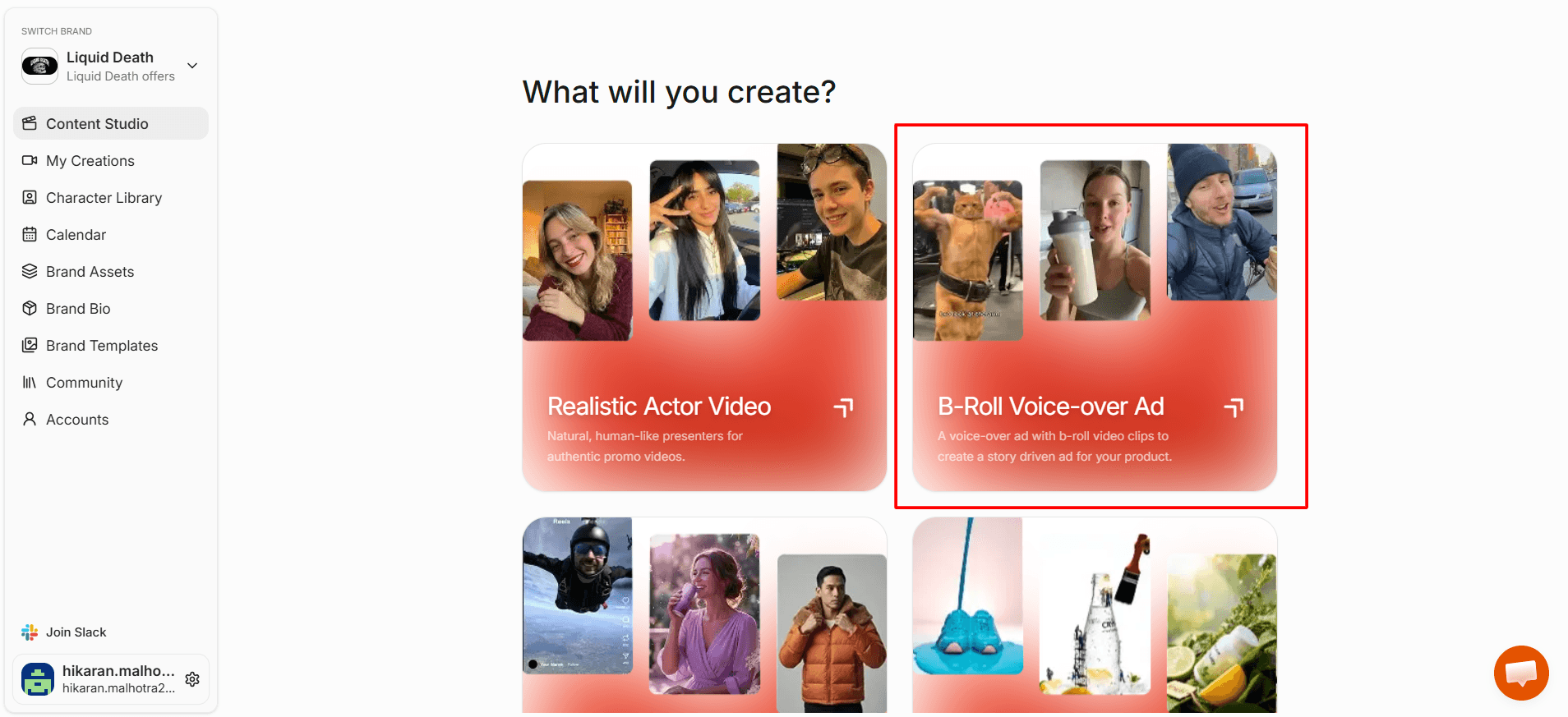
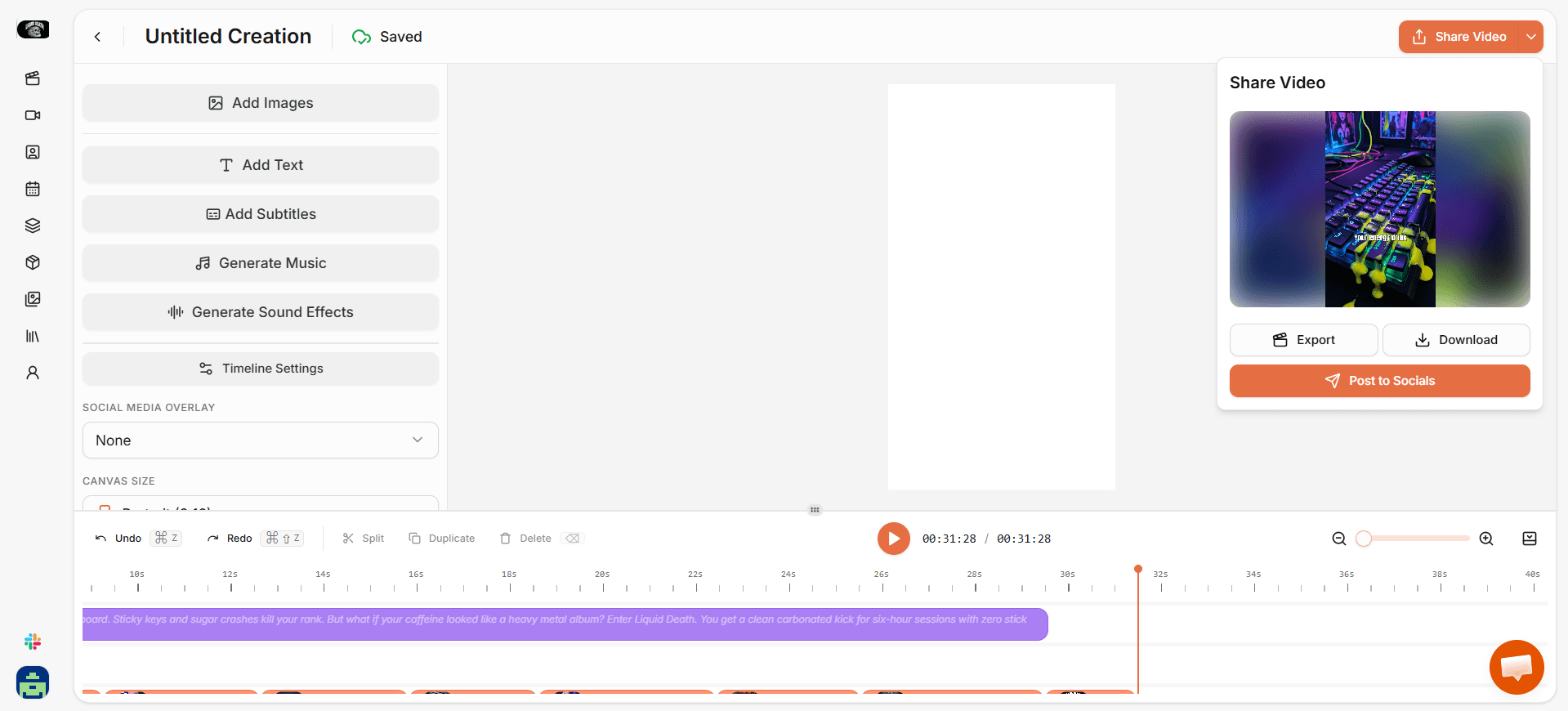
- Open the Content Studio and select B-Roll Voice Over Ad.
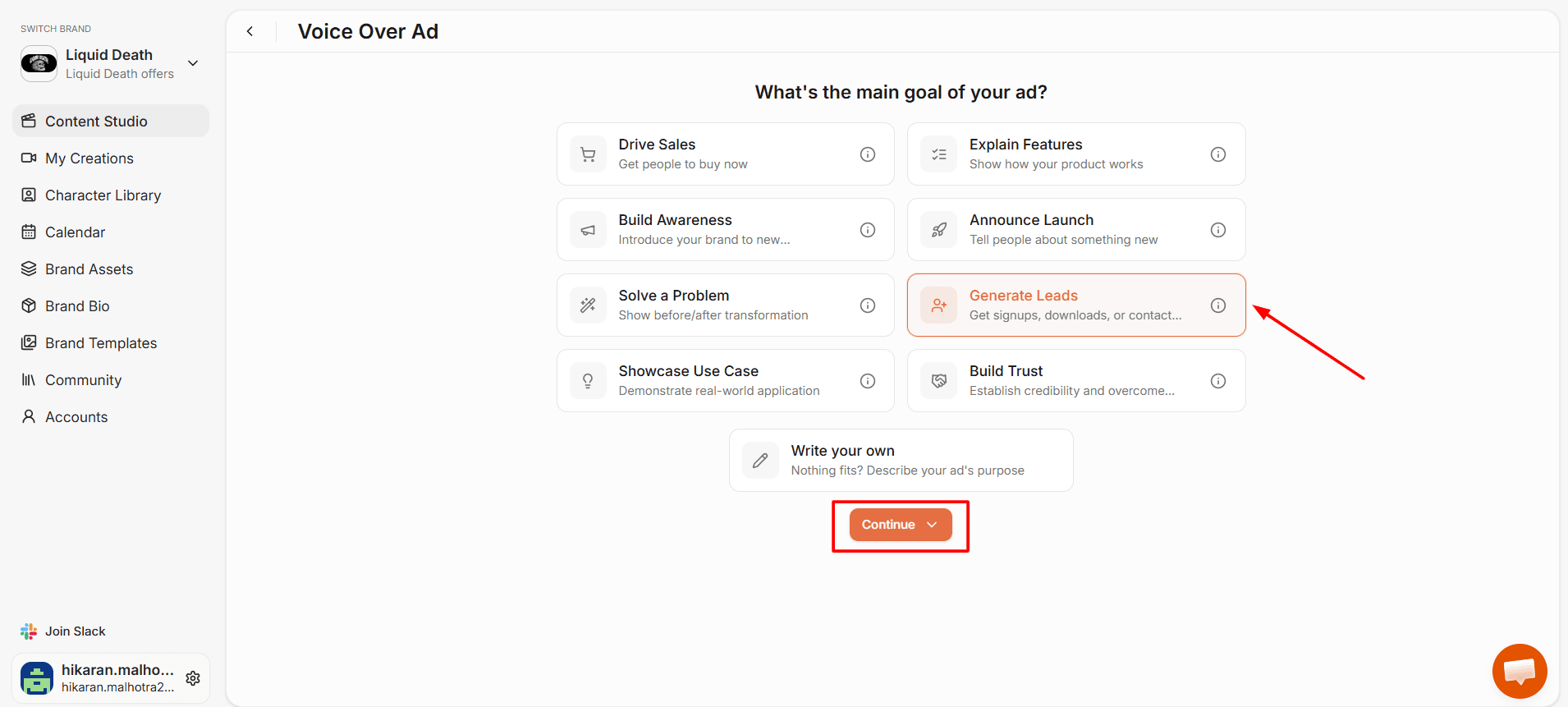
2. Pick your product, choose an ad duration (30, 60, or 90 seconds), and define your audience and ad goal.
3. HeyOz generates a narrated script tailored to your product.
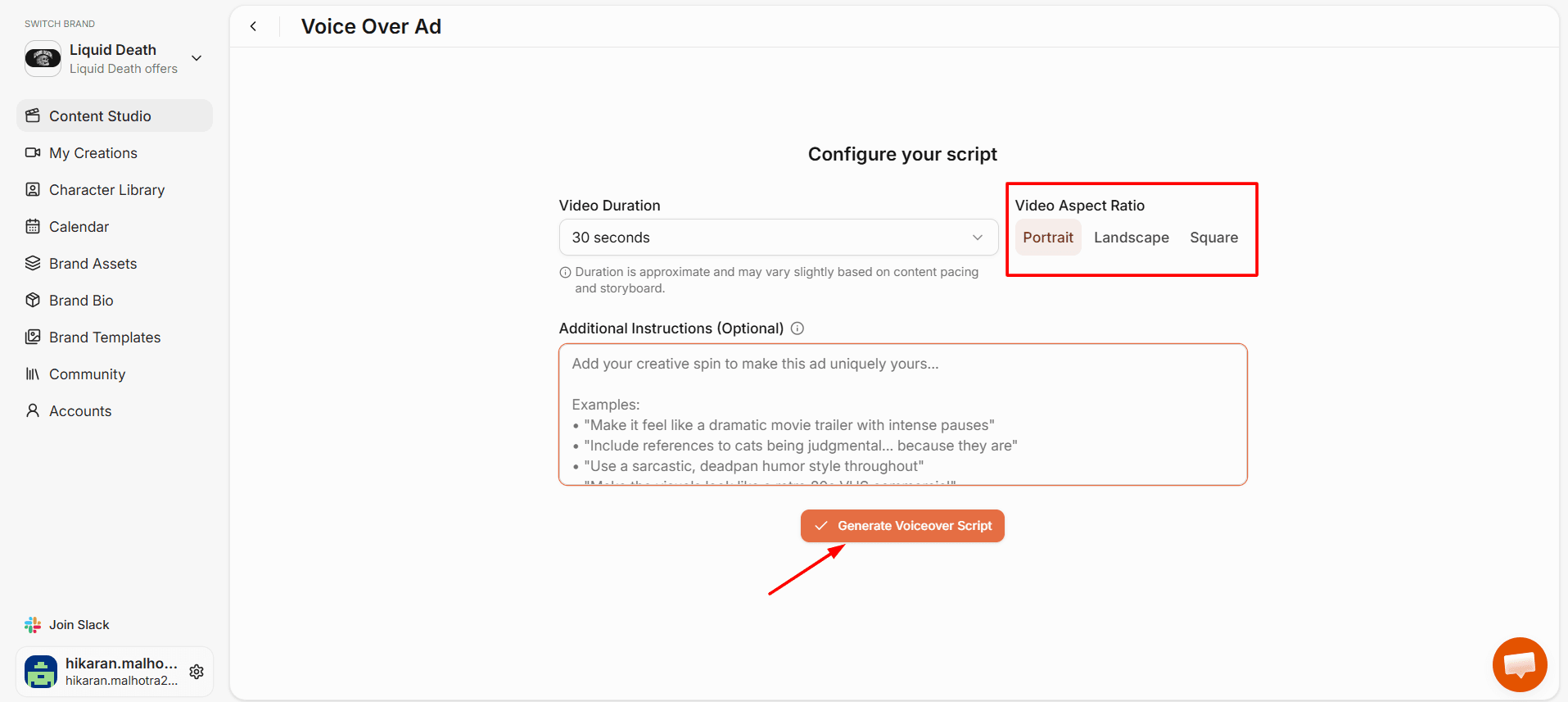
4. The system breaks your script into visual beats and generates an AI image for each one.
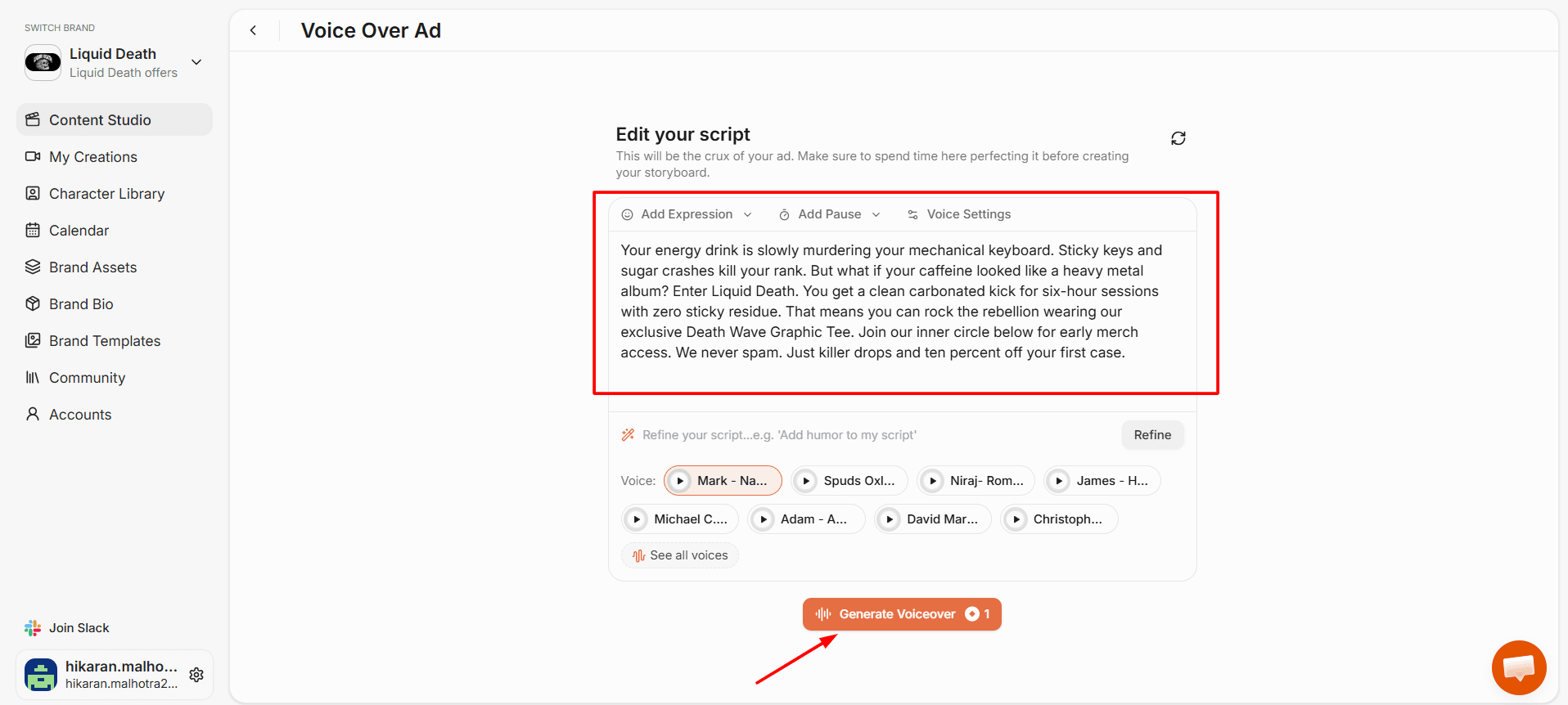
5. A custom royalty-free music track gets composed for your specific ad.
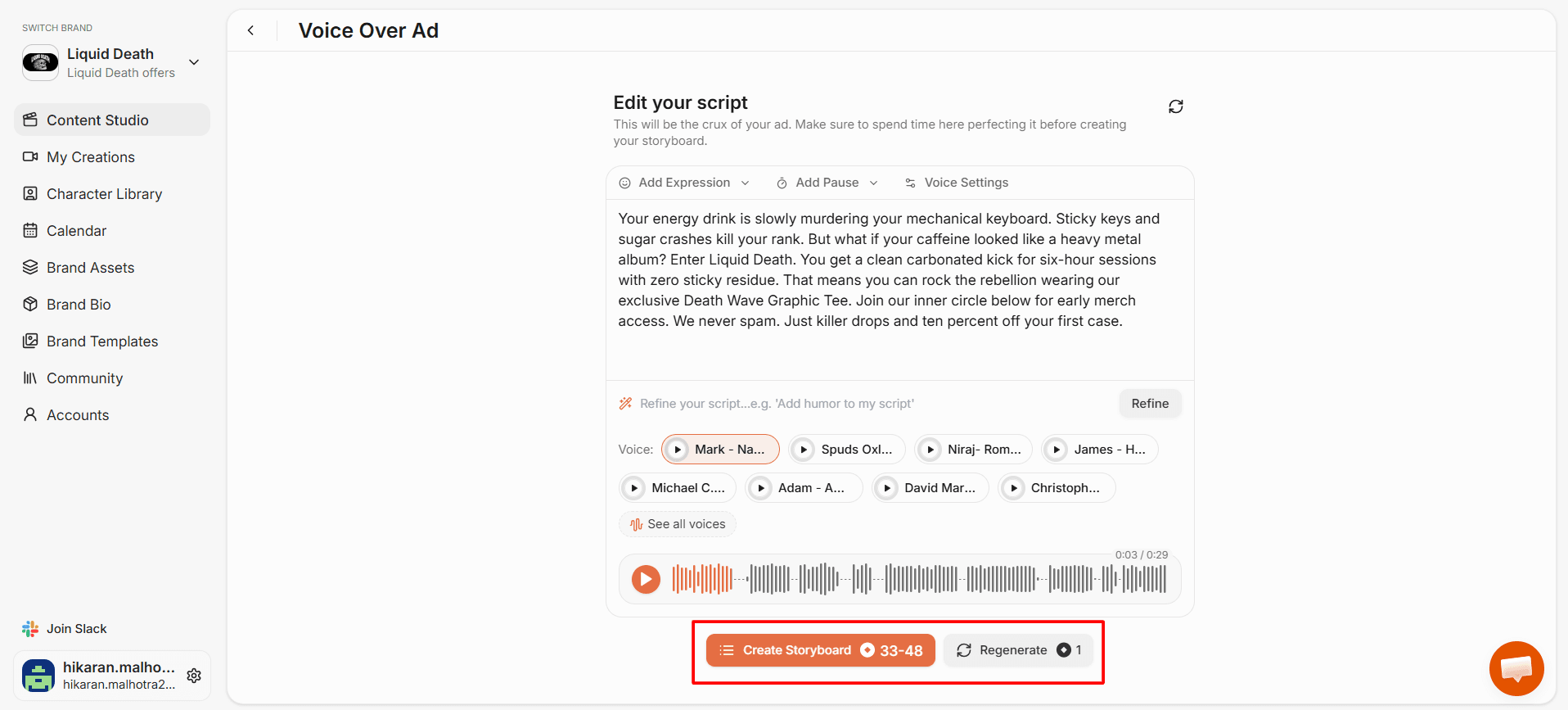
6. Each beat animates into a short clip and combines with the voiceover and music.
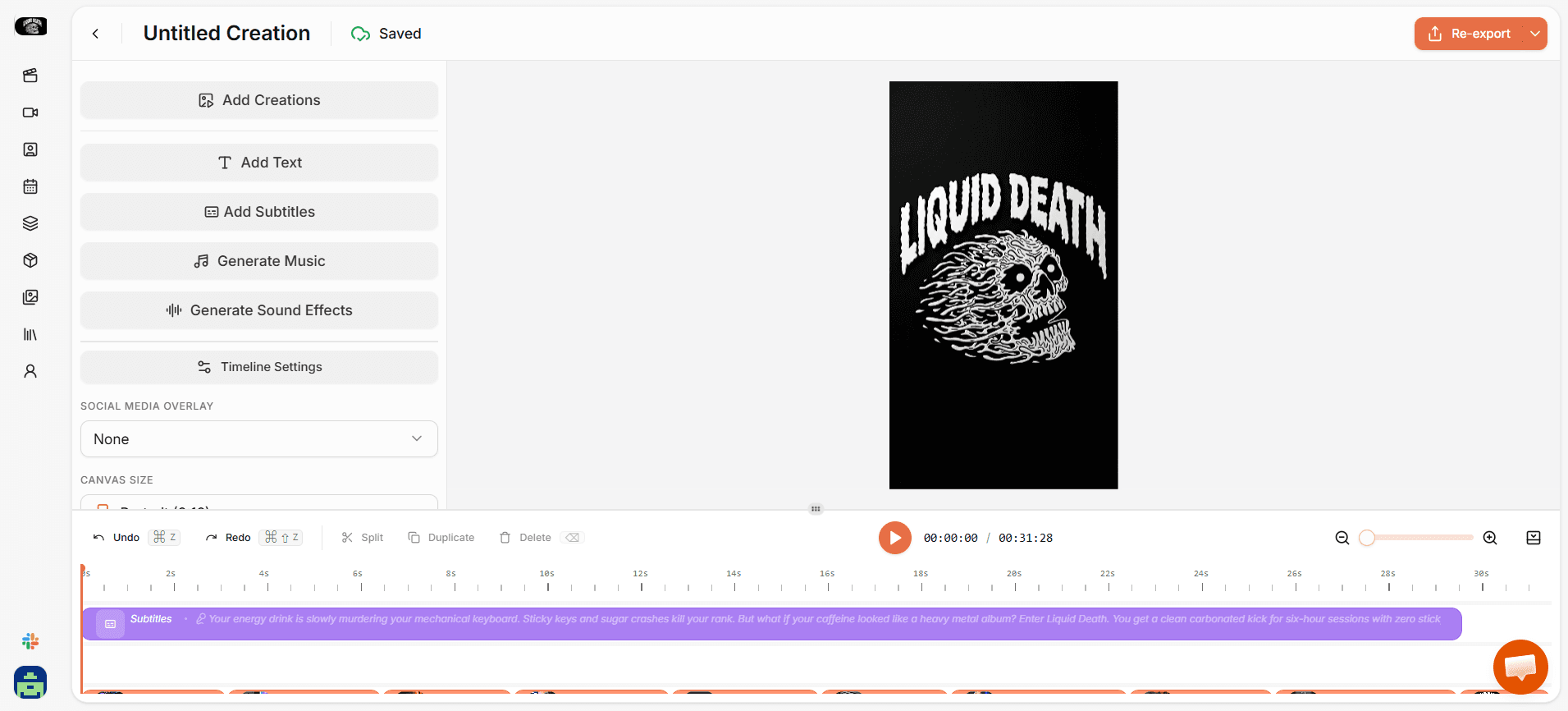
7. Review the final video in the editor, make any tweaks, and download or post directly to TikTok, Instagram, YouTube, or Facebook.
What makes HeyOz worth using for this:
Full B-roll voiceover ad workflow in one tool. No jumping between a script writer, a video generator, a music tool, and an editor
- Custom music composed for each ad, not a recycled stock track
- Failed beats automatically refunded so you only pay for what works
- Direct publishing to every major social platform from the same dashboard
- Starting at $44.99 a month, which is less than a single hour of agency time
If you want to see what the B-roll voiceover ad format looks like applied to other use cases, the realistic actor video format is a useful comparison for ads that need a presenter on screen.
FAQs
Can I create a B-roll voiceover ad AI free without a watermark?
Yes. HeyOz offers a free trial where you can generate B-roll voiceover ads and export them without a watermark. The trial gives you full access to the workflow including script generation, image generation, music composition, and animation.
How long should a B-roll voiceover ad be for paid ads?
30 to 60 seconds for most paid campaigns. The 45 to 59 second window has the highest completion rate at 74.8% according to Wistia's 2026 video data. Longer than 90 seconds drops engagement sharply on social platforms.
What is the difference between a B-roll voiceover ad and a talking head ad?
A talking head ad shows a presenter on camera delivering the message. A B-roll voiceover ad uses narration over supporting footage with no on-screen presenter. B-roll ads are faster to produce, easier to edit, and let you change the script without reshooting anything.
Can the AI write the script and pick the visuals automatically?
Yes. Modern AI tools generate the script from a short product brief, then break that script into visual beats and generate an image for each one. You can edit anything along the way or accept the AI defaults.
About the author
Ahad Shams
Ahad Shams is the Founder of HeyOz, an all-in-one ads and content platform built for founders and small teams. He has worked across consumer goods and technology, with experience spanning Fortune 100 companies such as Reckitt Benckiser and Apple. Ahad is a third-time founder; his previous ventures include a WebXR game engine and Moemate, a consumer AI startup that scaled to over 6 million users. HeyOz was born from firsthand experience scaling consumer products and the need for a unified, execution-focused marketing platform.