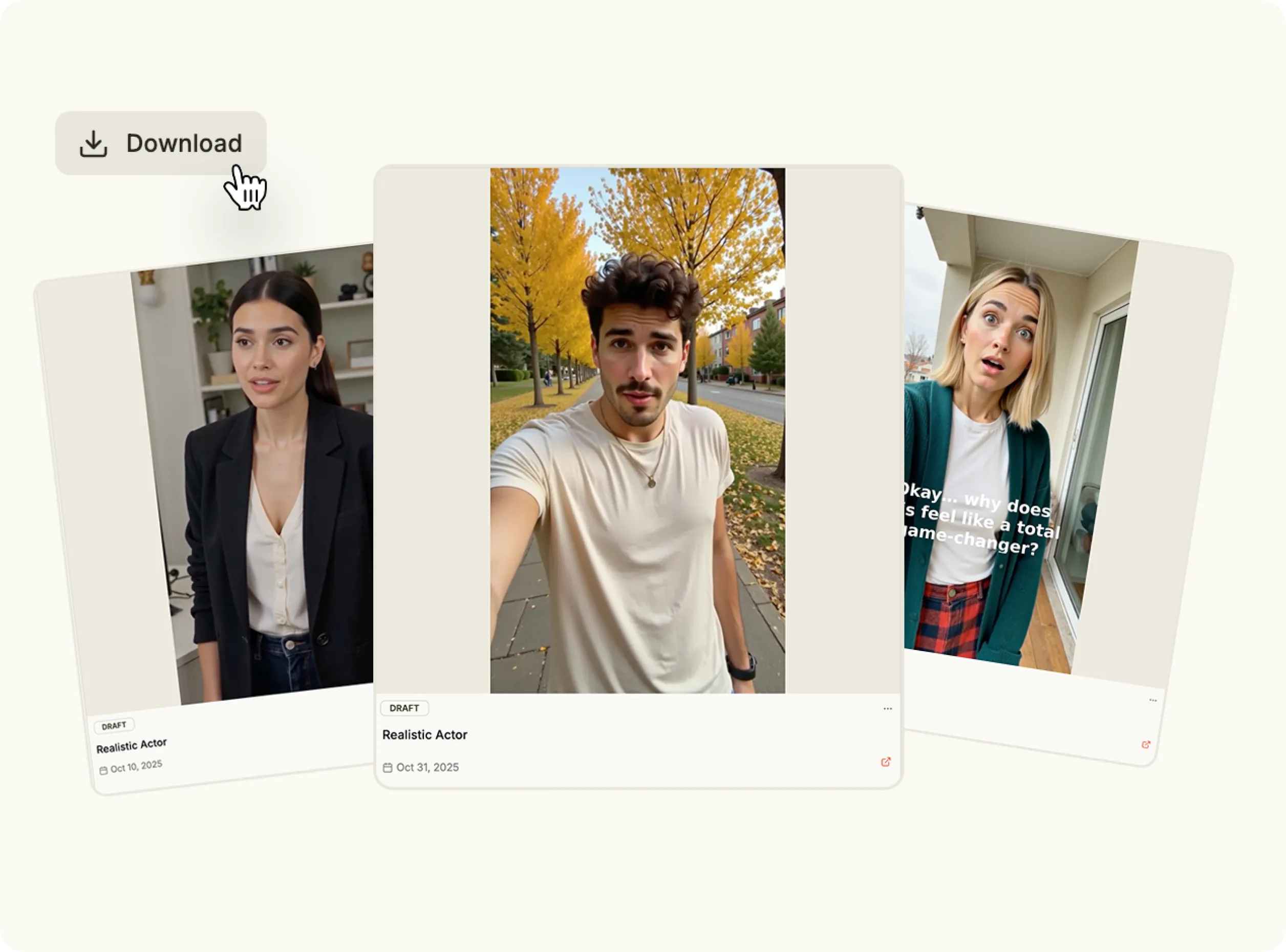
AI Lip Sync

Create perfectly synced videos in seconds. Add your audio or script, and let the AI lip sync generator match every word with natural mouth movement and expression.

Why choose AI lip sync tool?

Good sound deserves great visuals. The lip sync AI technology brings any voice to life with accurate speech animation—perfect for presenters, explainers and creative videos.

bullet

Upload your audio or text.

bullet

Choose an avatar or character.

bullet

Customize tone, pace and emotion.

bullet

Publish anywhere in one click.

Generate AI Lip Sync Video
Feature Image

Key Features

Realistic Lip Sync Animation

Realistic Lip Sync Animation

The AI lip sync video engine maps speech to facial motion frame by frame for true-to-life accuracy.

Best Text to Speech

Best Text to Speech

Create videos from direct text-to-speech scripts using the AI lip sync tool.

Multi-Character Support

Multi-Character Support

Generate dialogues or multi-speaker clips with several AI talking heads in one project.

Emotion and Tone Control

Emotion and Tone Control

Fine-tune delivery—adjust tone, and pacing to enhance realism.

Instant Video Rendering

Instant Video Rendering

Produce professional lip sync video generator outputs in minutes, ready for any platform.

Use Cases

Marketing & Ads

Marketing & Ads

Create personalized AI lip sync videos for campaigns that feel natural and human.

Tutorials & Courses

Tutorials & Courses

Add engaging presenters to training materials using the AI lip sync tool.

Social Media Content

Social Media Content

Transform narration or music into visual storytelling with expressive avatars.

Animation & Film

Animation & Film

Use AI lip sync animation to bring characters to life with accurate voice sync.

How It Works

Make videos with AI Lip Sync
1

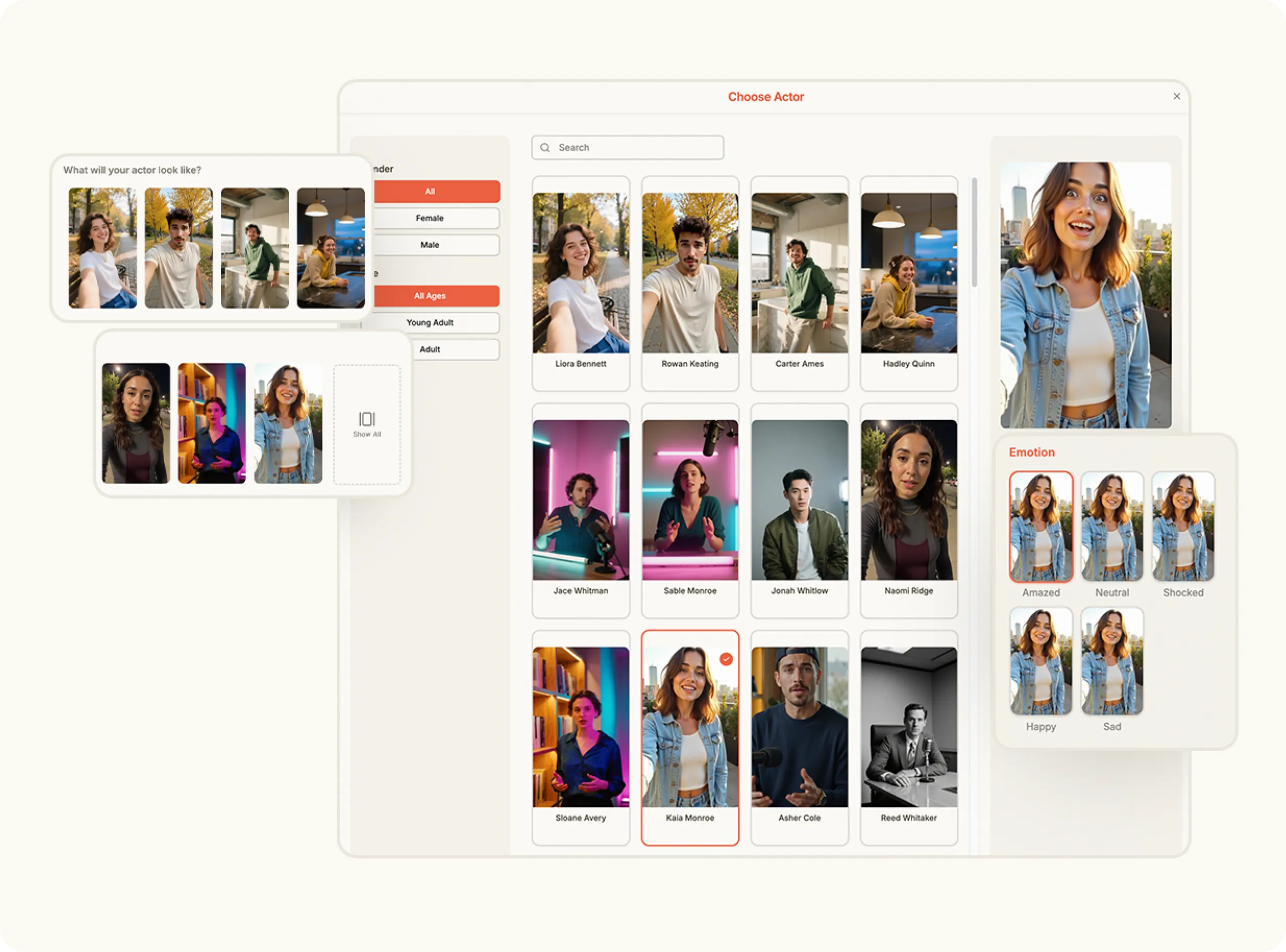
Choose the Realistic Actor Video Format

Open the Content Studio and select “Realistic Actor Video” from the list of content formats. This option lets you create lifelike, talking video content featuring an AI actor that speaks your custom script.

Media
2

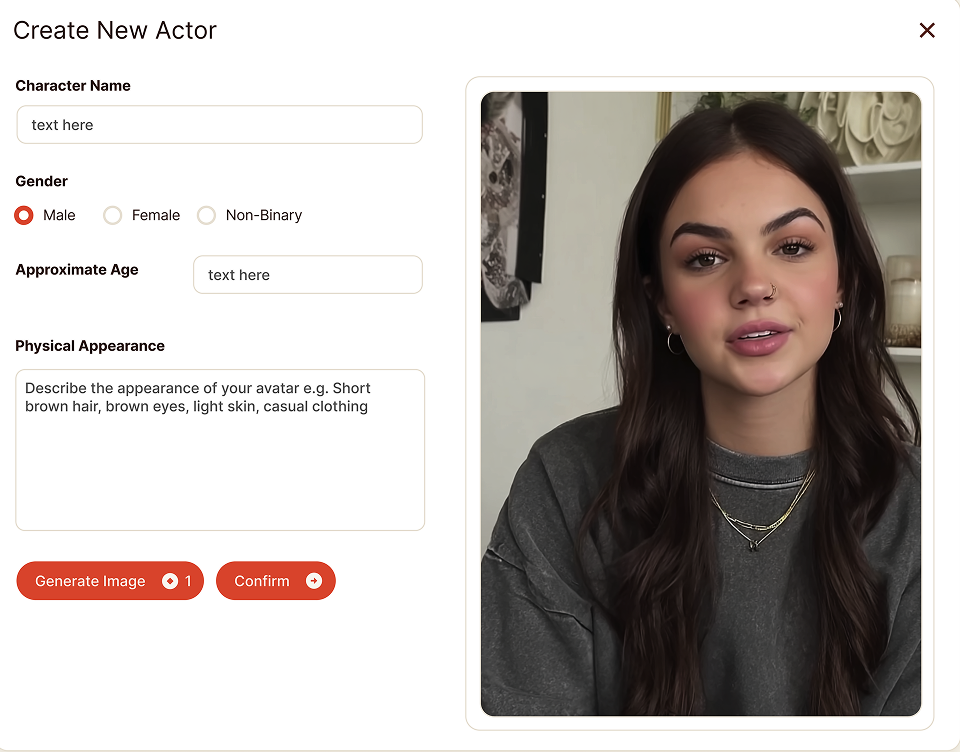
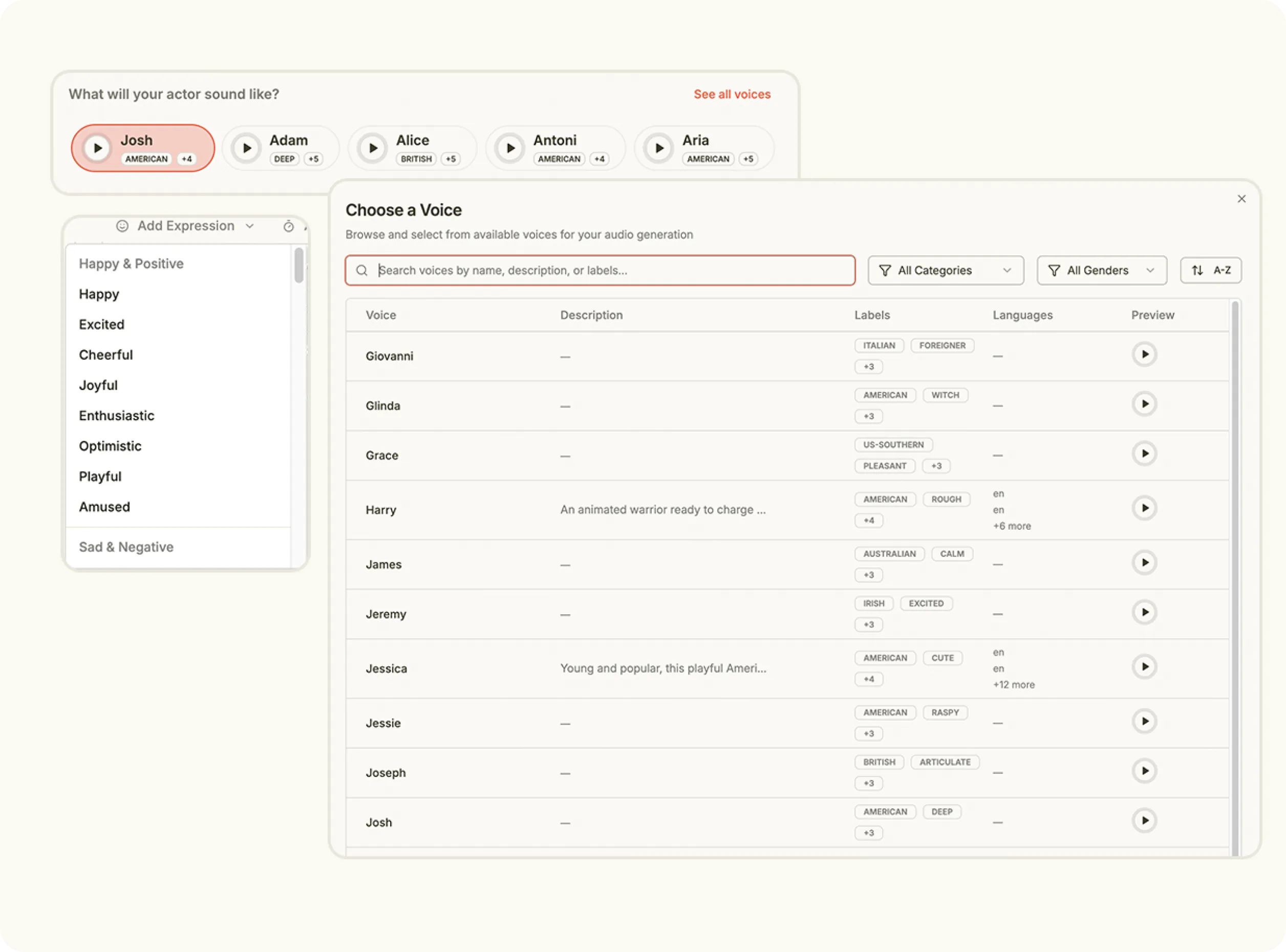
Customize Your Actor and Voice

Select what your actor will look like from the available actor library. Then choose a matching voice from the preset options to define tone, accent and delivery. Together, these set the personality and presence of your video.

Media
3

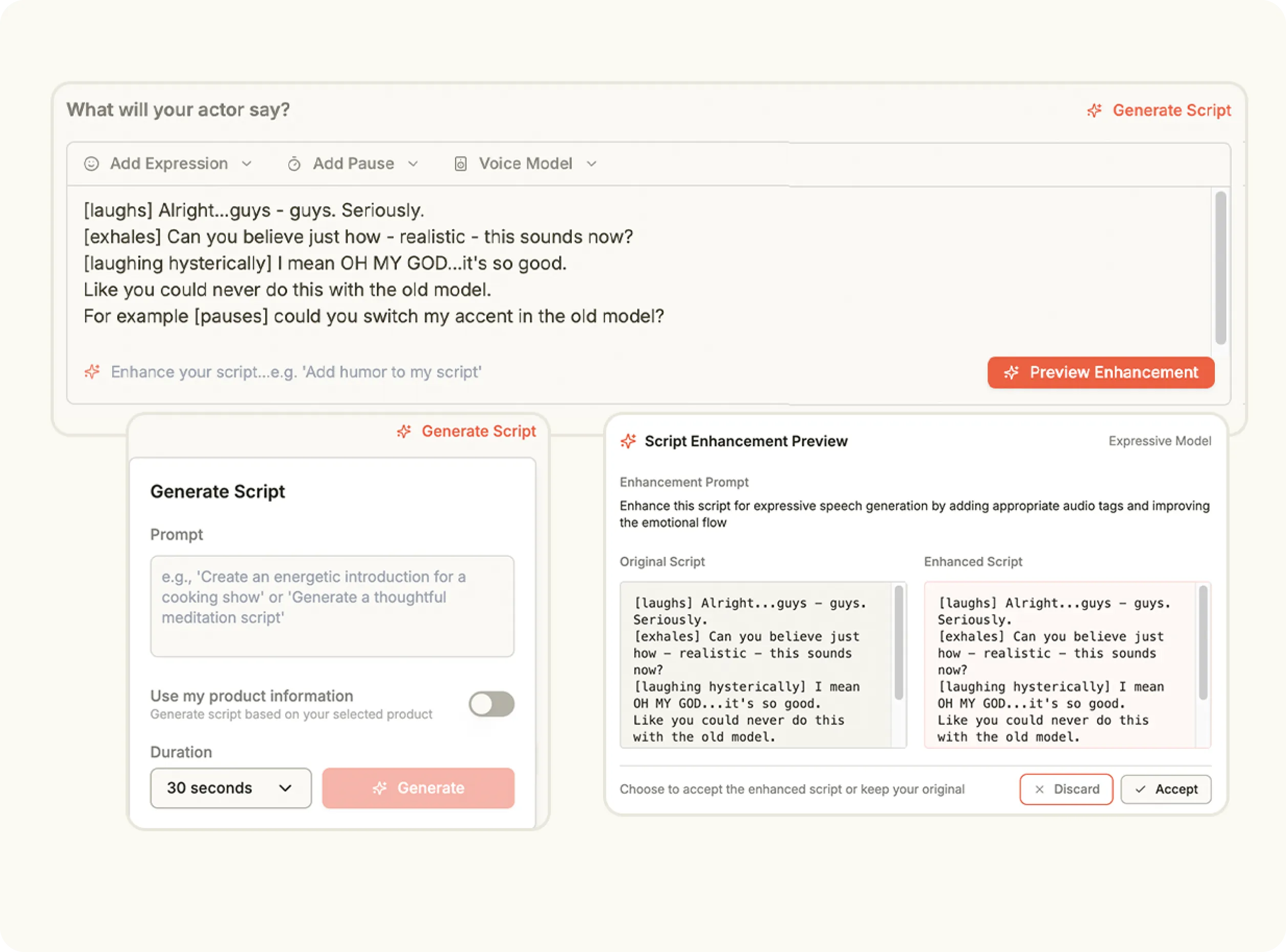
Add or Generate Your Script

Write your own script or use the built-in tool to generate one automatically. Keep your lines short and clear—the system will convert your text into professional-quality voiceover synced with your chosen actor.

Media
4

Generate and Publish Your Video

Click Generate to create your final video. The system produces your AI actor’s performance in a few minutes, combining visuals, voice and motion into one cohesive clip ready for instant review and publishing.

Media
Pricing Comparison

The quickest, most cost-effective way to grow your marketing

Stop wasting time and money on complex marketing stacks. Oz streamlines your content creation and distribution, delivering results faster.

Traditional Marketing

Staff

Marketing Agency $3,000+ / month
UGC Creators $2,500+ / month

Tools & Software

ChatGPT Plus $20 / month
AI Image Generator $20 / month
AI Avatar Generator $90 / month
Video Editor (e.g., CapCut Pro) $10 / month
Graphic Design Tool (e.g., Canva Pro) $10 / month

Estimated Total
$5,650+ / month
Best Value
Simplified with Oz
Starting From $44.99/ month

All-in-one platform for scaling your content

Curated Viral Templates
Powerful Built-in Editor
Advanced Customization
Seamless One-Click Publishing
All High-Performing Content Formats
Get Started with Oz
3-day free trial. No charge until day 3. Cancel anytime

Discover more:

FAQ

Frequently Asked Questions

Everything you need to know about how Oz works and what it can do for you

What is AI lip sync and how does it work?

AI lip sync matches spoken audio or text to realistic mouth movements on a digital character or video.

Can I sync lip movements with any voice audio?

Yes. You can upload audio or use AI generated voices for lip synchronization.

Is AI lip sync accurate for multiple languages?

Yes. Modern AI lip sync supports multiple languages with natural timing and articulation.

What types of videos use AI lip sync technology?

AI lip sync is used in avatar videos, explainer videos, presentations, marketing videos, and animated content.

Do I need video editing skills to use AI lip sync?

No. The process is automated and does not require manual animation or editing.

Ready to make your voice seen?

Bring words to life with the AI lip sync generator—where every syllable moves in perfect sync.