

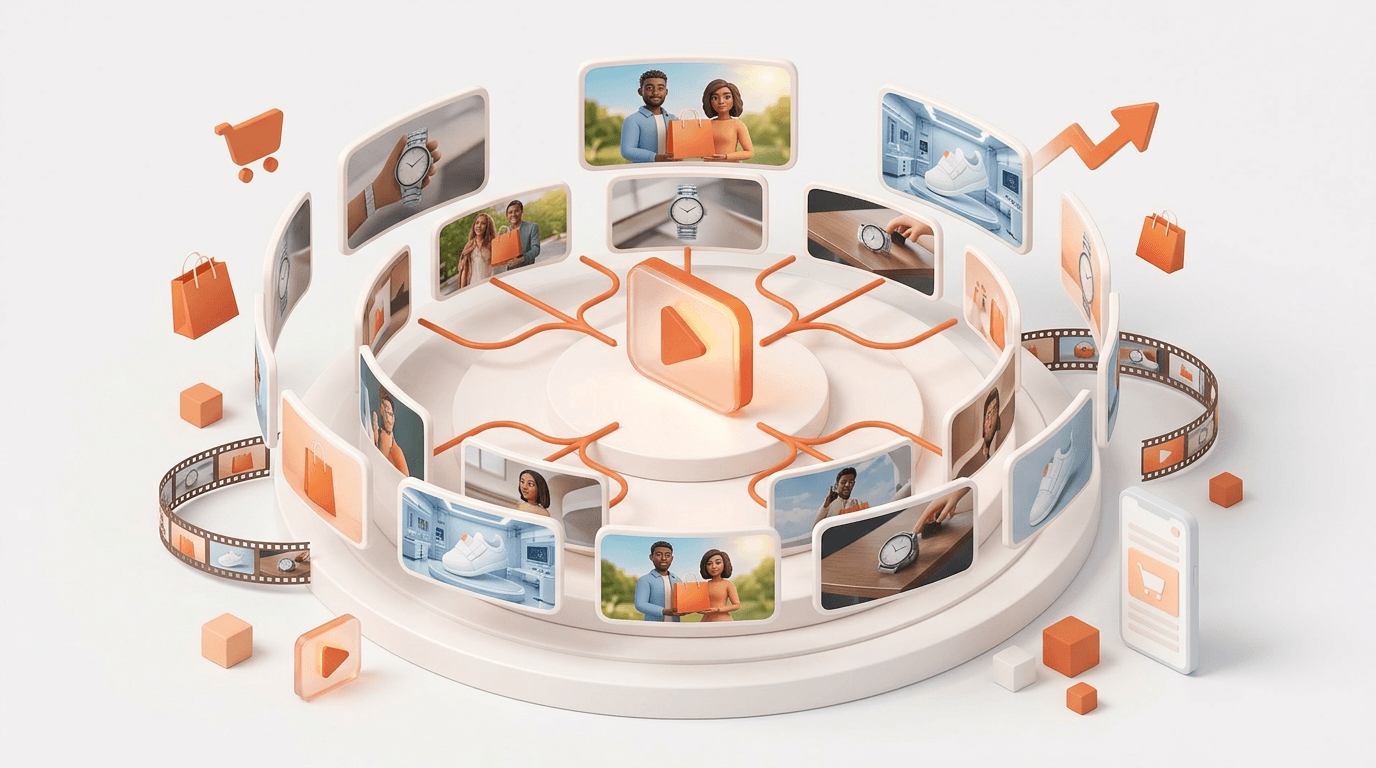
- Google Gemini Omni Flash can turn a single winning video ad into 5–10 fresh variations in 30–90 minutes — replacing a 2–6 week traditional production cycle
- Only feed Omni ads with above-average CTR or below-target CPA for at least 7 days — not every ad is worth scaling
- Omni is capped at 10-second clips for video-to-video; trim your "hero moment" before uploading — isolate the 3–5 seconds that made the ad work
- Use Google Flow for batch work (teams), Gemini App for quick 1–3 variations, and YouTube Create for fast mobile iterations
- All Omni outputs carry Google's SynthID watermark — declare AI-generated content on Meta, TikTok, and Google Ads per each platform's requirements
- Kill any variation with CTR below 70% of your control after 3 days or 1,000 impressions; feed new winners back into Omni to create a compounding creative loop
You have a video ad that's working. CTR is above average, CPA is holding, and the creative team knows exactly why it converts. The bottleneck isn't strategy — it's production. Getting 10 fresh variations of that winner into market takes 2–6 weeks and $5,000–$20,000 in a traditional workflow. Google Gemini Omni changes that math entirely.
Gemini Omni Flash — available now through the Gemini app, Google Flow, and YouTube Create — uses multimodal AI to accept a video, a brief, and reference images, then generates fresh variations in minutes. Same hook, new setting. Same script, different model. Same message, new platform format. This playbook walks you through the exact 5-step workflow, the prompt templates that produce clean outputs, and the testing protocol that turns variations into new winners.
What Is Google Gemini Omni and Why Does It Matter for Ad Creative?
Google Gemini Omni Flash is a multimodal AI model that accepts video, images, audio, and text as combined inputs — and outputs video. For advertisers, this means you can upload a winning video ad alongside reference images and a text brief, then receive multiple visual variations without reshooting a single frame.
Access points include the Gemini app (gemini.google.com) for Google AI Plus/Pro/Ultra subscribers, Google Flow (flow.google.com) for batch creative work, and the YouTube Create app for mobile-first iterations. The tool is included in Google AI subscriptions ($20–$250/month depending on tier), and YouTube Shorts creators receive access at no additional cost. The only hard restriction: users must be 18 or older.
What makes Omni specifically valuable for paid advertising is its video-to-video capability. Rather than generating ads from scratch — which compounds the risk of product misrepresentation — Omni uses your proven creative as structural scaffolding. It preserves what made the ad work (hook timing, product reveal moment, pacing) while changing what's causing fatigue (setting, model, lighting, color grade).
How Do You Pick the Right Winning Ads to Feed Into Gemini Omni?
Not every performing ad is worth scaling through Omni. The model works best with inputs that have structural clarity — a defined beginning, middle, and end within 10 seconds. Feeding Omni a complicated, text-heavy, or statically composed ad produces muddier outputs.
Use these selection criteria before choosing your source assets:
- Performance threshold: CTR above your account average, or CPA below target for at least 7 consecutive days
- Structural clarity: Clear beginning, middle, and end — even compressed into 10 seconds
- Visual simplicity: Clean backgrounds, single focal point, minimal text overlays (Omni may distort or hallucinate text)
- Motion over statics: Ads with product demos, human action, or environment movement produce far better variation outputs than static or talking-head-only formats
Where to find them: Meta Ads Manager → Breakdown by ad creative → Sort by CTR or ROAS. Google Ads → Asset details → Video performance. TikTok Ads Manager → Creative → Top videos.
Critical: Pick 3–5 winners from different angles. Don't feed Omni five variations of the same concept — feed it five structurally different winning ideas. Your output pool will be far more diverse and testable.
How Do You Prepare Source Assets for the Cleanest Omni Outputs?
Omni's output quality is directly tied to input quality. A compressed, text-heavy, or poorly trimmed source file produces variations that are soft, inconsistent, or misrepresent your product. Here's the exact file prep checklist:
- Trim to 10 seconds or less — Omni's current video-to-video cap; identify your "hero moment" (the 3–5 second core action or reveal that made the ad convert)
- Export at 1080p, 30fps — higher resolution inputs produce sharper, more realistic variation outputs; 720p works but outputs will look noticeably softer
- Remove heavy text overlays — Omni may hallucinate text; strip all supers, captions, and CTAs from the source file and re-add them in post-production
- Create a "clean plate" version — export without end cards, logos, or brand bugs; Omni works better with a raw visual as the base
For advanced multi-reference workflows, Omni accepts up to 5 inputs combined: 1 video file (your winning ad), 1–2 reference images (style moodboard or desired background), 1 text prompt (your variation brief), and optionally 1 audio reference for tone or music style. Use this combination when product accuracy is critical — providing a dedicated product photo as a secondary reference significantly reduces the chance of visual drift.
Naming convention: Save files as Winner_[Product]_[Angle]_[Date].mp4 — for example, Winner_Skincare_Hook_ProblemSolution_20260515.mp4. Consistent naming becomes important when you're running 20+ variations across multiple campaigns.
How Do You Generate Ad Variations with Gemini Omni?
There are three access routes, each suited to a different use case. Here's when to use each:
Option A: Gemini App (Fastest for 1–3 Variations)
Go to gemini.google.com, start a new chat, attach your source video, and use this prompt structure:
 I need [NUMBER] new variations of this winning video ad.

Original ad context:
- Product: [PRODUCT NAME]
- Target audience: [AUDIENCE]
- Winning angle: [WHAT MADE IT WORK]
- Platform: [META / TIKTOK / YOUTUBE]

For each variation, change [SPECIFIC ELEMENT]:
[Option 1: Setting/background]
[Option 2: Actor/model]
[Option 3: Time of day/mood]
[Option 4: Product framing]

Keep these elements identical:
- The core hook/timing
- The product reveal moment at [TIMESTAMP]
- The overall energy and pacing

Generate [NUMBER] variations. Label them Variation A, B, C, etc.
Option B: Google Flow (Best for Batch Work and Teams)
Google Flow (flow.google.com) is Google's dedicated creative platform with an AI agent built for batch generation and batch editing. Upload your source video to the asset library, open the AI panel, select "Create multiple variations," and set your parameters. After generation, use the "batch edit" feature to apply brand consistency across all outputs: prompt with "Add a subtle warm color grade and ensure skin tones look natural across all clips."
Option C: YouTube Create (Mobile, Quick Iterations)
YouTube Create gives mobile-first access to Omni's Remix and Restyle features. Import your winning ad, type natural language prompts like "Make this look like it was shot in a luxury loft" or "Add a cinematic depth-of-field effect," and export directly to your camera roll. Best for quick single variations — not for coordinated batch campaigns.
How Do You Polish and Brand Omni Outputs for Launch?
Omni generates the core visual. It handles background and environment changes, AI avatar or model swaps, lighting and color mood shifts, and basic motion physics. What it does not produce is a launch-ready ad. Budget roughly 20 minutes of post-production per variation for these additions:
- Logo/watermark — Canva, CapCut, or your existing editor (2 minutes)
- End card / CTA — same tools (3 minutes)
- Background music — Epidemic Sound, Artlist, or Uppbeat for licensed tracks (5 minutes)
- Voiceover — ElevenLabs for custom voice, or keep Omni's native audio if licensing isn't a concern (5 minutes)
- Captions/subtitles — CapCut auto-captions or Descript (5 minutes)
- Platform-specific sizing — CapCut, Canva, or native platform tools (5 minutes)
On audio: Omni generates native audio synchronized to the video. If you have a sonic brand identity or a specific music license, strip Omni's audio and replace it. For general DTC brands without strict sonic requirements, Omni's native audio is usable but gives you less control over music licensing and voice consistency across variations.
SynthID compliance: All Omni-generated videos carry Google's invisible SynthID watermark. When uploading to Meta Ads, select "Made with AI" if prompted. Google Ads requires AI-generated disclosure in certain categories. TikTok requires labeling as "AI-generated" in content settings. The watermark is invisible to viewers and does not affect creative quality.
How Do You Test and Scale Omni Variations Without Wasting Budget?
With 5–10 variations in hand, the temptation is to launch everything at once. Don't. Structured testing is the difference between a creative loop that compounds and a budget drain that generates noise.
Launch protocol:
- Group by similarity — setting variations together, model variations together, mood variations together
- Keep the original winner as your control — run it in the same campaign with equal budget
- Equal budget split — minimum $50–$100 per variation for statistical relevance
- Review after 3 days or 1,000 impressions per variation — whichever comes first
The decision framework: Kill anything with CTR below 70% of your control. Scale the top 20% of performers to 2–3× budget. For the new top performer, return to Step 3 and run it through Omni again. This creates a compounding loop: each generation of variations produces a new winner, which becomes the next source asset.
Naming convention for tracking: Omni_[OriginalAdName]_[VariationType]_[Date] — for example, Omni_SerumHook_GoldenHour_20260520. Systematic naming is essential when you're managing 30–50 variations across multiple campaigns.
What Are Gemini Omni's Real Limitations?
Gemini Omni is powerful, but it has hard constraints you need to know before you start — otherwise you'll waste time discovering them mid-workflow.
- 10-second max length: Omni's current video-to-video cap. Workaround: break longer ads into 10-second hero moments, then stitch in post-production
- No direct API for bulk automation yet: A Vertex AI API is coming, but for now Google Flow is the only scalable batch option
- Text rendering is inconsistent: Remove all text from source videos before uploading; add overlays in Canva or CapCut after generation
- Product accuracy can drift: Supply a dedicated product photo as a secondary reference image and review every output before it goes near your ad account
- Audio licensing uncertainty: Strip Omni's native audio and replace it with your own licensed music/voiceover for any commercial ad spend
- 18+ age gate: Team members under 18 cannot access the tool — plan access accordingly
What Prompt Templates Produce the Best Omni Outputs?
These four templates cover the most common variation strategies. Copy, fill in the brackets, and use directly in Gemini or Google Flow.
Template 1: Visual Refresh
 Recreate this winning ad with a completely new visual style.
Keep the product reveal at [TIMESTAMP] identical in framing.
Change the setting to [DESCRIBE SETTING].
Use [DESCRIBE LIGHTING] lighting.
Keep the pacing and energy identical.
Generate 3 variations with subtle differences in camera angle.
Template 2: Angle Shift
 This ad wins because of [SPECIFIC MECHANIC].
Keep that exact structure and timing.
Change the visual execution: new model, new setting, new color palette.
The core message is [MESSAGE].
Make it feel [MOOD — e.g., "more premium", "more playful", "more urgent"].
Template 3: Platform Resize
 Convert this [ORIGINAL FORMAT] ad into [TARGET FORMAT].
Maintain the hook in the first 2 seconds.
Keep the subject framing centered.
Extend or crop the background to fit the new aspect ratio.
Do not change the product or the action timing.
Template 4: Seasonal Adaptation
 Take this winning ad and adapt it for [SEASON/HOLIDAY].
Keep the product and the core message identical.
Change the environment to match [SEASONAL CONTEXT].
Adjust color grading to [WARM/COOL/FESTIVE].
Maintain the same pacing and CTA timing.
How Does HeyOz Help You Build a Scalable Ad Creative System?
Google Omni solves the video variation problem. But the broader creative pipeline — sourcing winning formats, building prompts, producing images, animating video, scheduling across platforms — still requires a system. That's where Heyoz SEO Agency comes in.
HeyOz is built for brands running paid social at scale. You paste a product URL, and HeyOz pulls brand assets, generates ad-ready images via GPT Image 2, and animates them into video using Seedance 2.0 — all in one platform. For teams using Omni, HeyOz covers what Omni doesn't: the origination layer. You use HeyOz to build your first round of creative variations from scratch, identify your winners through testing, then feed those winners back into Omni for the next generation of variations.
The combined workflow looks like this: HeyOz generates your initial ad pool (11+ formats from a single product URL) → you test and find your winners → Omni multiplies each winner into 5–10 fresh variations → you test again → the new winners re-enter HeyOz for the next origination cycle. Creative fatigue becomes structurally impossible when the loop never stops.
Start your 3-day free trial at heyoz.com and see how fast your first ad pool comes together.
Frequently Asked Questions
What platforms can I access Gemini Omni Flash on?
Gemini Omni Flash is available through the Gemini app (gemini.google.com) for Google AI Plus/Pro/Ultra subscribers, Google Flow (flow.google.com) for batch creative work, and the YouTube Create app for mobile users. YouTube Shorts/Create users get access at no extra cost.
Does Google Omni work for ads longer than 10 seconds?
Not directly. Omni's current video-to-video limit is 10 seconds. For longer ads, isolate your "hero moment" (the 3–5 seconds that made the ad convert), run that through Omni, then stitch the variation back into a longer edit in post-production.
Do I need to disclose that my ads are AI-generated?
Yes. All Omni outputs carry Google's SynthID watermark. Meta may prompt you to select "Made with AI" in ad setup. Google Ads requires disclosure in certain categories. TikTok requires an "AI-generated" label in content settings. The watermark is invisible to viewers and does not affect ad performance.
How do I keep my product looking accurate in Omni variations?
Use Omni's multi-reference input feature. Include a dedicated product photo as a secondary reference image alongside your source video. This anchors the model to your product's visual specifications and significantly reduces drift across variations. Always review outputs before any ad spend.
How many variations should I test at once?
Start with 5–10 variations grouped by similarity (setting variations, model variations, mood variations). Run each against your original winner as a control with equal budget. Allocate minimum $50–$100 per variation. Review after 3 days or 1,000 impressions. Kill anything below 70% of your control CTR, scale the top 20%, and feed the new winner back into Omni.
Can I use Omni for talking-head or spokesperson ads?
Yes, via the Omni Avatar feature. If your winning ad features a consistent face — founder, spokesperson, or recurring persona — Omni can create a digital avatar of that person and generate variations where the avatar delivers the same message in different settings, without any re-filming. Note: avatars work best for talking-head content; product-in-hand or action-heavy ads still require the video-to-video route.
About the author
Ahad Shams
Ahad Shams is the Founder of HeyOz, an all-in-one ads and content platform built for founders and small teams. He has worked across consumer goods and technology, with experience spanning Fortune 100 companies such as Reckitt Benckiser and Apple. Ahad is a third-time founder; his previous ventures include a WebXR game engine and Moemate, a consumer AI startup that scaled to over 6 million users. HeyOz was born from firsthand experience scaling consumer products and the need for a unified, execution-focused marketing platform.