


Key Takeaways
- Sora 2 was built by OpenAI with improved physics, stronger motion consistency, and synchronized audio. It produces footage that actually looks filmed.
- A Sora 2 product video can go from prompt to publish-ready clip in minutes, no crew, no studio, no equipment.
- Prompt quality is the biggest variable. Think like a director: describe the subject, camera angle, lighting, motion, and tone in one structured block.
- HeyOz puts Sora 2 directly inside your content studio. No separate OpenAI account, no extra billing, no manual export pipeline.
- Short clips of 4 to 12 seconds work best. Stitch two together in the editor rather than forcing one long generation to do everything.
Introduction
A DTC skincare brand needed a product video for a campaign launching in 48 hours. No time for a shoot. They wrote a prompt, dropped in their product image, and had a cinematic close-up video ready in under ten minutes. It ran as a paid ad that weekend.
That is Sora 2 in a practical context. This guide covers how to use it for product marketing, and how HeyOz makes the whole process faster.
What Sora 2 Actually Does (and Why It Matters for Product Brands)
Sora 2 is OpenAI's second-generation text-to-video model. It launched in September 2025 with a focus on three things earlier video models consistently got wrong: realistic physics, frame-to-frame consistency, and synchronized audio.
For product marketing, those three things matter a lot. A skincare serum that drips unnaturally breaks trust instantly. A product shot where the label shifts between frames looks generated. Sora 2 handles both with a level of accuracy that earlier models could not match.
The model also generates audio alongside the visual, ambient sound, foley effects, and dialogue all in one pipeline. You do not need to layer sounds in post-production if you describe them clearly in the prompt.
Brands that were waiting for AI video to feel real enough to run as paid ads now have a tool that clears that bar. Production agencies and freelancers charge $3,000 to $15,000 per video and take two to three weeks. Sora 2 generates a usable clip in minutes.
How to Write a Sora Prompt Video That Actually Works
Prompting Sora 2 is closer to briefing a cinematographer than typing a Google search. Vague inputs produce vague outputs. Specific ones produce footage worth posting.
According to OpenAI's official Sora 2 prompting guide, a strong prompt describes the subject, the camera framing, the depth of field, the action in beats, and the lighting and color palette. You are writing a storyboard in prose, not a caption.
A prompt structure that works for product videos:
- Subject and setting. What is in frame and where. Example: a glass skincare serum bottle on a white marble surface.
- Camera angle and lens feel. Example: macro lens, shallow depth of field, slow dolly in from the right.
- Lighting and mood. Example: soft diffused light from top-left, warm golden tone, no harsh shadows.
- Motion description. What moves and how. Example: serum drops slowly from the dropper tip and catches light mid-fall.
- Audio cues (optional). Example: soft ambient room tone, subtle liquid sound as the dropper releases.
OpenAI recommends keeping clips short. Four to eight seconds per generation produces sharper, more consistent results than asking the model to sustain a long scene. If you need a 20-second video, generate four separate shots and stitch them in the editor.
One more thing that matters: do not describe what you want the video to achieve. Describe exactly what you want the viewer to see. The model does not respond to intent, it responds to visual specifics.
The Product Video Formats Sora 2 Handles Best
Not every video format benefits equally from Sora 2. These are the ones where the model consistently produces results good enough to post or run as ads.
Cinematic Product Reveals
A slow dolly-in on a product placed in a carefully described environment. Skincare on marble. Supplements on a clean white surface with soft light. A gadget on a wooden desk at golden hour. These shots take days to set up on a real shoot. Sora 2 produces them from a text prompt in under five minutes.
Liquid and Texture Shots
Sora 2's improved physics handling makes it particularly strong at liquid behavior, fabric movement, and surface texture. A serum dropping in slow motion. A moisturizer being spread. A beverage being poured over ice. These are among the highest-converting product video formats for ecommerce and Sora 2 renders them with physical accuracy.
Lifestyle Context Shots
A product being used in a real setting, not a studio. Describe a morning routine, a kitchen counter, a gym bag. Sora 2 can generate these environments convincingly, placing your product in a context that feels lived-in rather than staged.
360 and Rotation Shots
A slow orbit around a product, showing all sides with consistent lighting, is something most brands never produce because it requires a turntable rig and a full shoot day. Describe the orbit clearly in your Sora 2 prompt and the model handles it.
How to Create Sora 2 Product Videos With HeyOz
Accessing Sora 2 directly through OpenAI requires an active subscription and a separate workflow. HeyOz puts Sora 2 inside your content studio so the whole process lives in one place.
Here is how it works:
1. Open the Content Studio inside HeyOz and navigate to Video Generator.
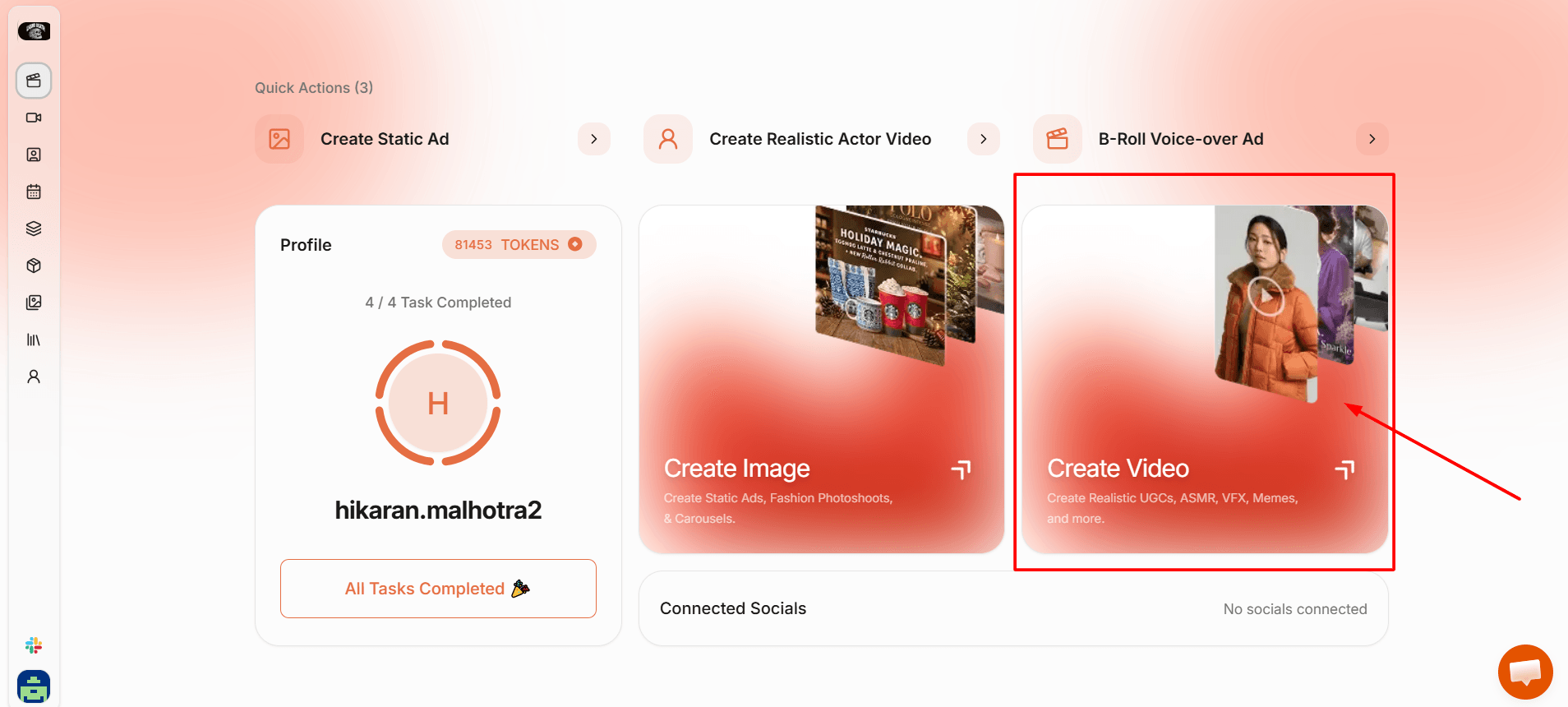
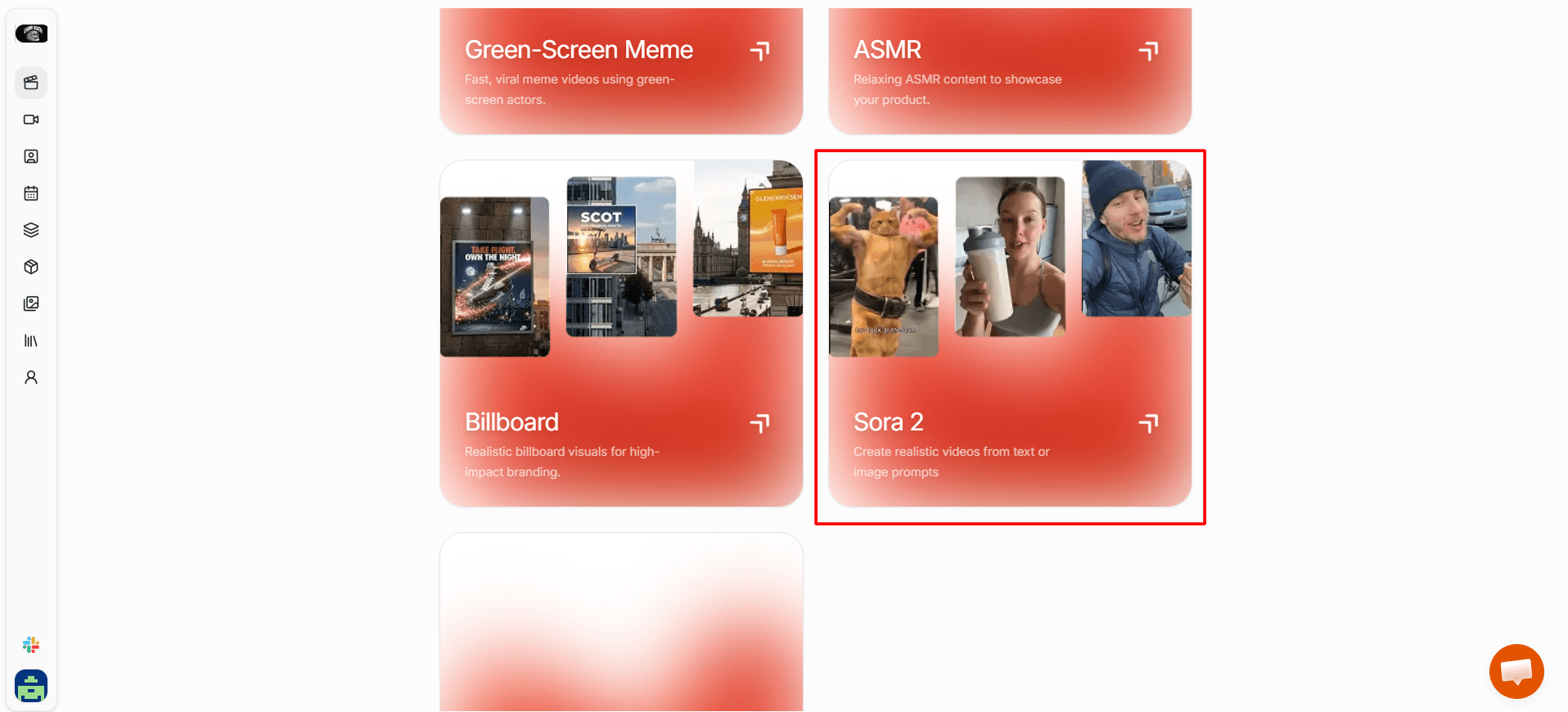
2. Select Sora 2 from the available video models. This is the model built for cinematic motion and physical accuracy.
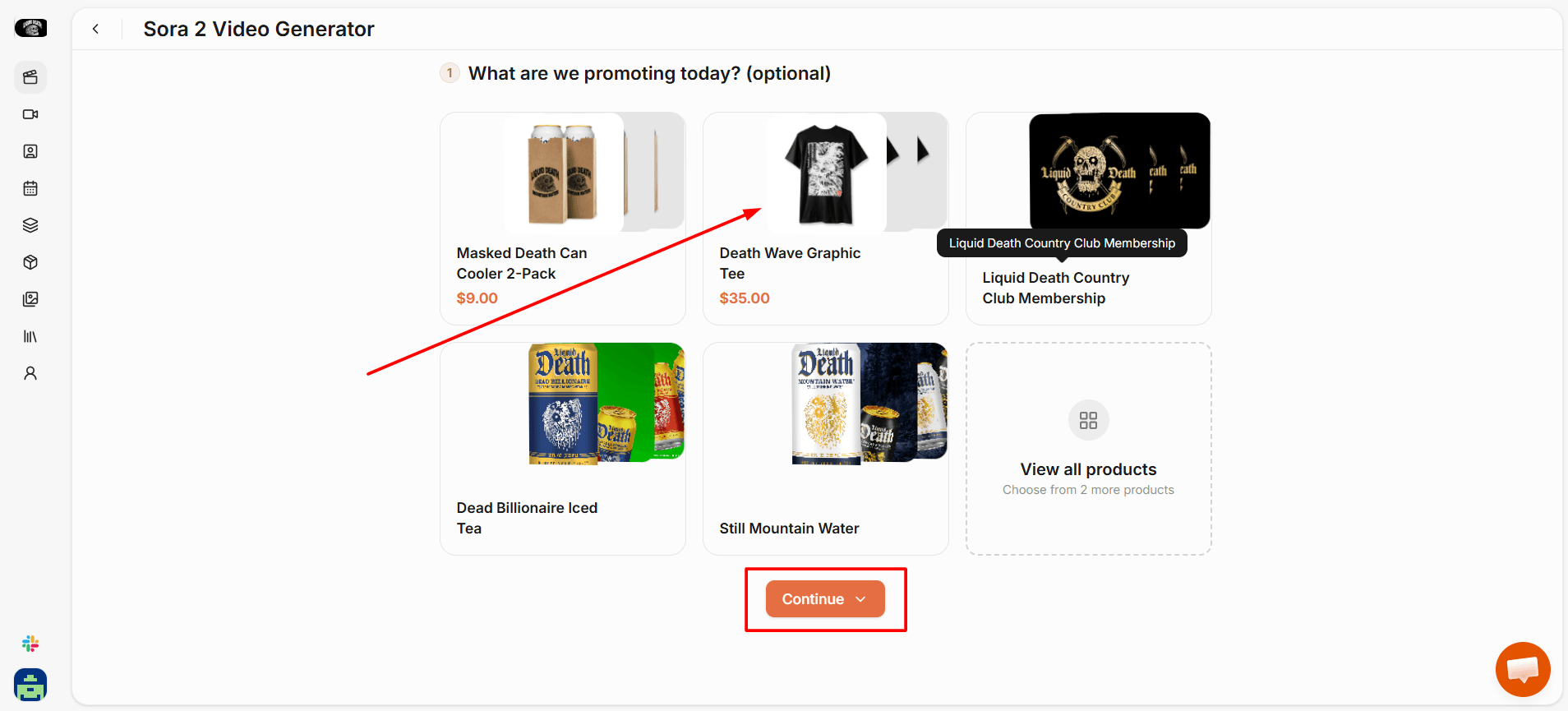
3. Upload your product image from Brand Assets or directly. HeyOz uses it as the visual anchor for the scene so the video is of your actual product.
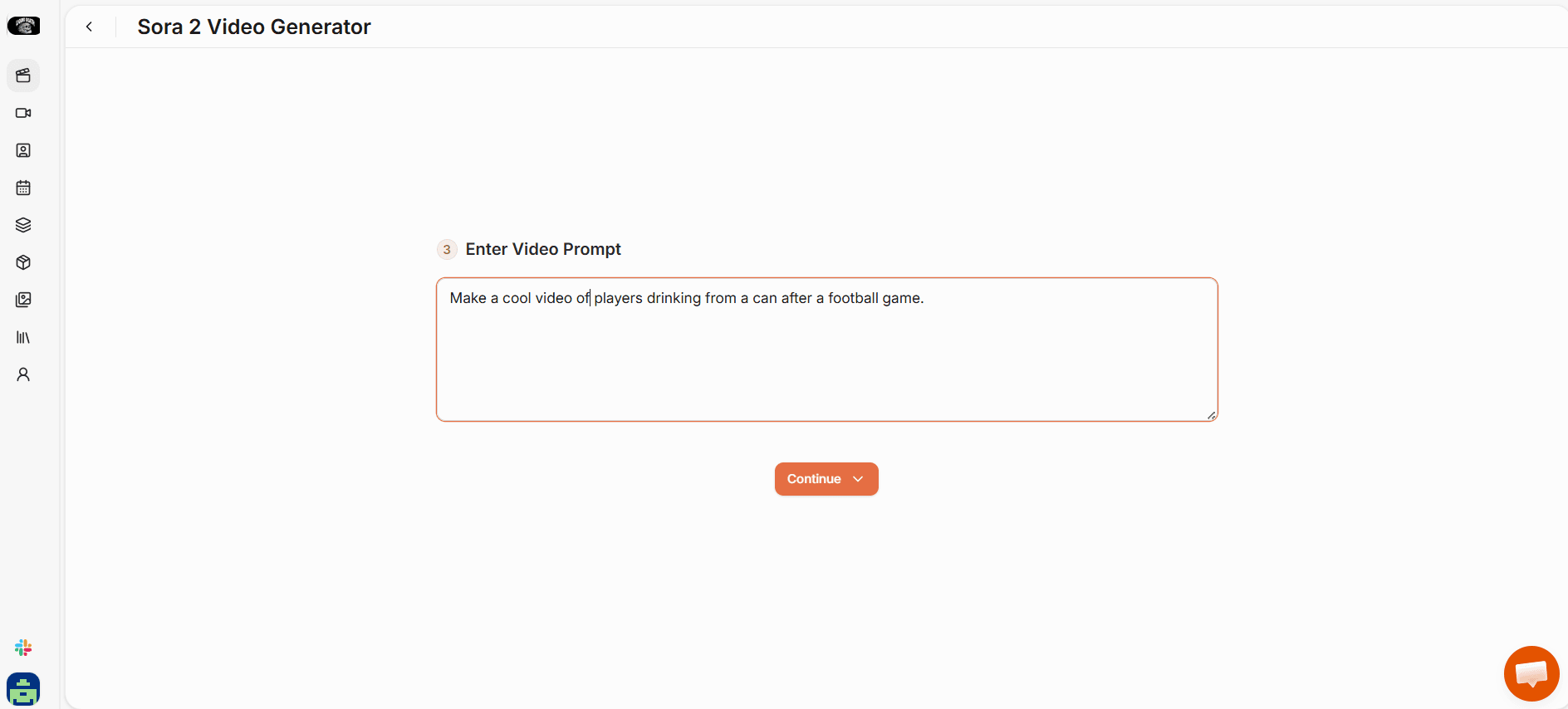
4. Write your scene description in the prompt field. Describe the subject, camera movement, lighting, and any audio you want included.
5. Set your format: portrait for TikTok and Reels, landscape for YouTube and product pages.
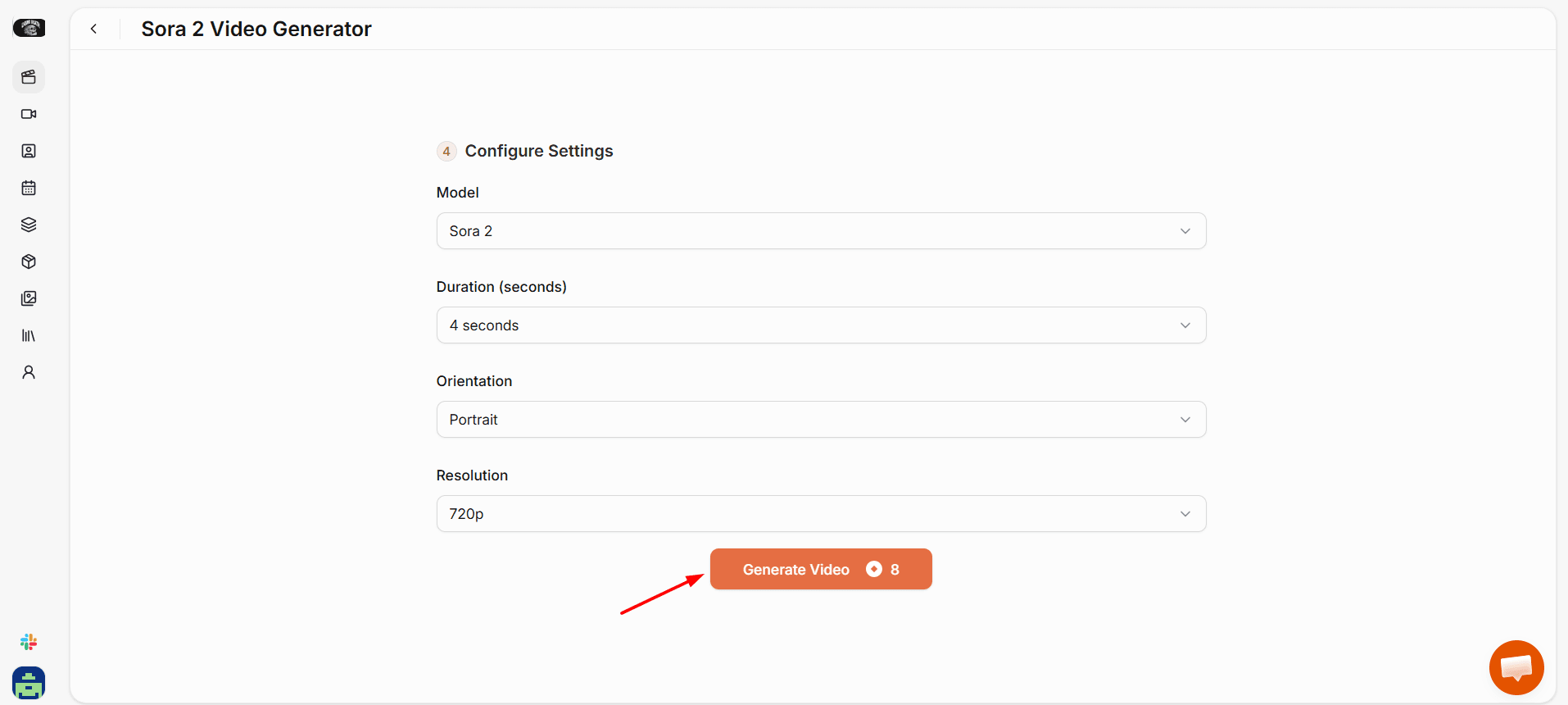
6. Click Generate, review in the editor, and export clean with no watermark.
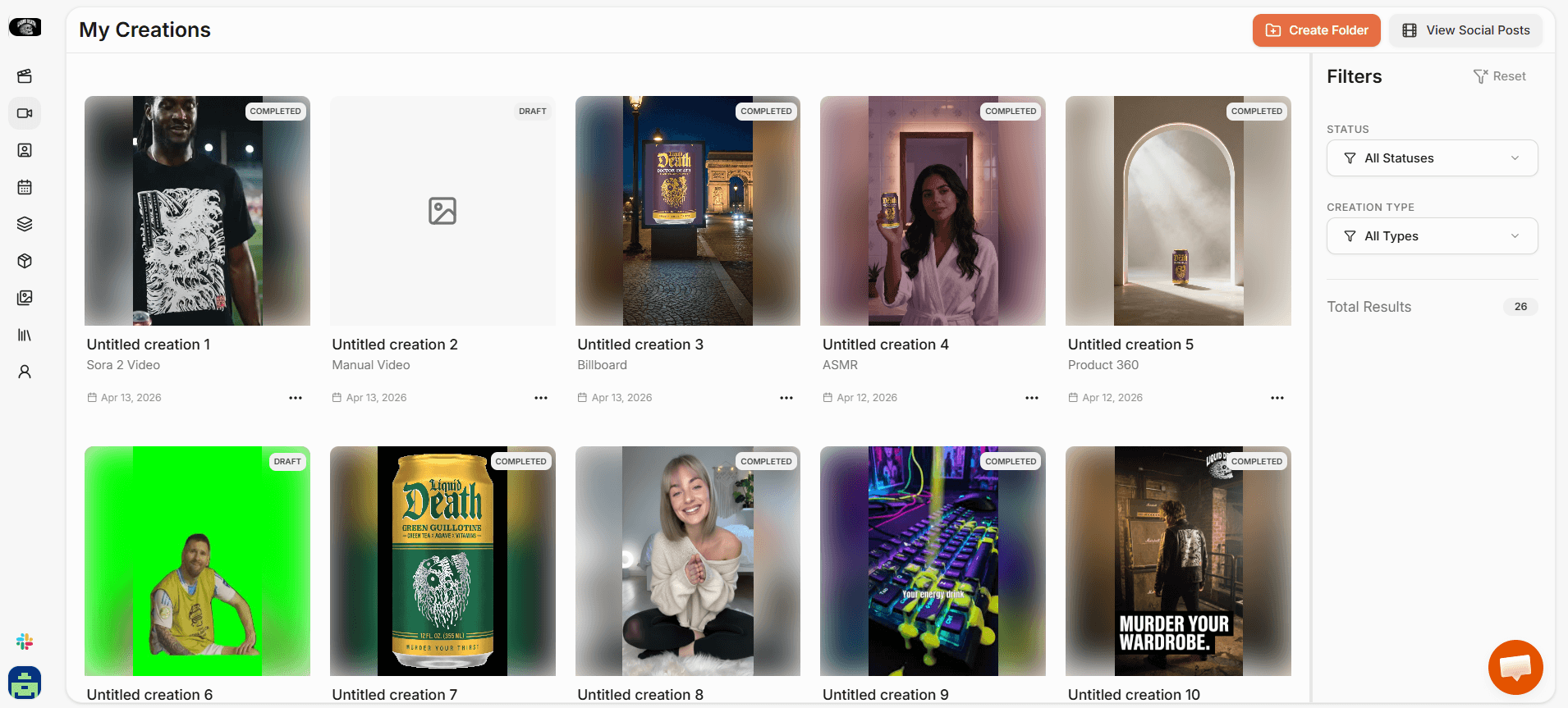
Why brands use HeyOz for Sora 2 videos:
- No separate OpenAI subscription needed. Sora 2 is built into your HeyOz plan
- Your actual product image is used as the visual reference, not a generic approximation
- Generate, edit, and publish to TikTok, Instagram, or YouTube without leaving the platform
- Clean export with no watermark, ready to run as a paid ad or organic post
- Full content studio, scheduling, and multi-platform publishing included from $44.99 a month
Common Sora 2 Mistakes That Brands Make and How to Avoid Them
Sora 2 produces consistently better results when you avoid the mistakes that cause most brands to get mediocre output on their first few attempts.
- Prompts that describe goals instead of visuals. 'A video that makes the product look premium' tells the model nothing. 'A glass bottle on polished white marble, slow dolly in, warm side lighting, shallow depth of field' gives it a scene to build.
- Trying to generate too much in one clip. One scene, one motion, one environment per generation. Stitch multiple clips together in the editor for a longer video.
- Ignoring lighting in the prompt. Lighting is the single biggest variable in whether a product video looks real or artificial. Describe it explicitly every time.
- Leaving camera movement undefined. If you do not specify how the camera moves, the model improvises. Sometimes that works. For product content, specify: dolly in, slow orbit, static close-up, whatever fits the shot.
- Not testing variations. The same prompt produces different outputs each time. Generate three to five versions before choosing. The second or third output is often noticeably better than the first.
FAQs
Do I need a separate OpenAI subscription to use Sora 2?
Not through HeyOz. Sora 2 is built directly into the HeyOz content studio. You pick it from the video model menu and generate from there. No second account, no second bill.
How long does a Sora 2 product video take to generate?
Short clips of 4 to 8 seconds typically generate in one to three minutes. Longer or more complex scenes take longer. Most brands work in short-clip batches and stitch them together in the HeyOz editor, which keeps generation times fast and output quality high.
What product categories work best with Sora 2 video?
Beauty, skincare, supplements, food and beverage, home goods, gadgets, and apparel all perform well. Any product with visual qualities worth showing, texture, finish, movement, packaging, is a strong candidate. Abstract products or B2B software are a poorer fit for the format.
Can I use my actual product image in Sora 2 videos through HeyOz?
Yes. HeyOz lets you upload a product image that Sora 2 uses as the visual reference for the scene it generates. The output is a video of your actual product, not a generic version of what you described in the prompt.
About the author
Ahad Shams
Ahad Shams is the Founder of HeyOz, an all-in-one ads and content platform built for founders and small teams. He has worked across consumer goods and technology, with experience spanning Fortune 100 companies such as Reckitt Benckiser and Apple. Ahad is a third-time founder; his previous ventures include a WebXR game engine and Moemate, a consumer AI startup that scaled to over 6 million users. HeyOz was born from firsthand experience scaling consumer products and the need for a unified, execution-focused marketing platform.