


Key Takeaways
- The best AI ad creator for Shopify pulls your product data straight from your store URL, so you are not uploading images one at a time.
- HeyOz sits at the top of this list because it does two things most tools cannot: put a realistic actor holding your actual product on camera, and publish that video straight to TikTok, Instagram, YouTube, and Facebook.
- Most Shopify ad tools stop at static images. Video is where the conversions are, and only a few of these tools generate it well.
- Pricing across the category runs from free trials to $200 a month. HeyOz starts at $44.99 a month with a watermark free trial.
- No AI tool replaces a real creative strategy. Use AI for volume and testing, then put budget behind whatever wins.
Introduction
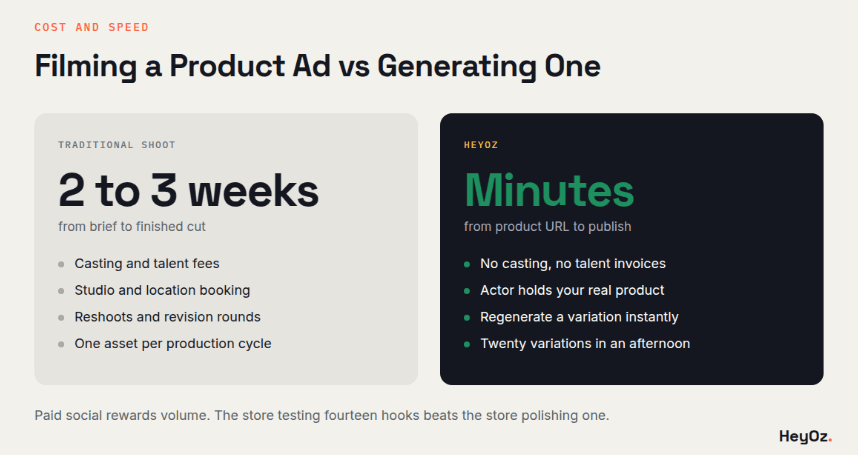
A Shopify skincare brand ran 14 ad variations in a single week. Twelve flopped. Two carried the entire quarter. That is the actual game with paid social, and it is why speed of production matters more than polish on any single asset.
If you are running a Shopify store, you need to make ads faster than you can film them. Here are the tools that do it, ranked.
Why Shopify Stores Need a Different Kind of AI Ad Tool
A generic AI image generator does not know what you sell. You hand it a prompt, it hands you something that looks nothing like your product.
Shopify specific AI ad creators work differently. They read your product page, pull your images, your pricing, your brand colors, and your copy. Then they build ads around the real thing.
That distinction is the whole ballgame. A tool that starts from your product URL saves you an hour of setup on every single ad. A tool that starts from a blank canvas costs you that hour every time.
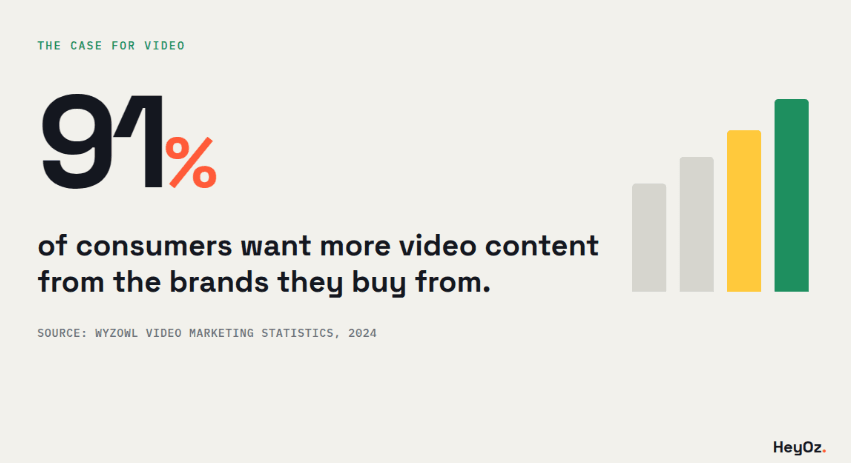
The second thing that matters is video. Static image ads still work, but video ads dominate. According to Wyzowl's 2024 Video Marketing Statistics report, 91 percent of consumers want more video content from the brands they buy from. Most Shopify ad tools were built for banners and product cards, not for motion.
The Best AI Ad Creators for Shopify Stores
HeyOz
Best for: Shopify brands that need video ads with a human on camera holding the product.
HeyOz takes your product link, reads the page, and builds video ads around your actual product. What sets it apart is the realistic actor feature. An AI presenter holds your serum bottle, taps your packaging, applies your product, and talks about it directly to camera. That is UGC style content without a creator, a shoot day, or a talent invoice.
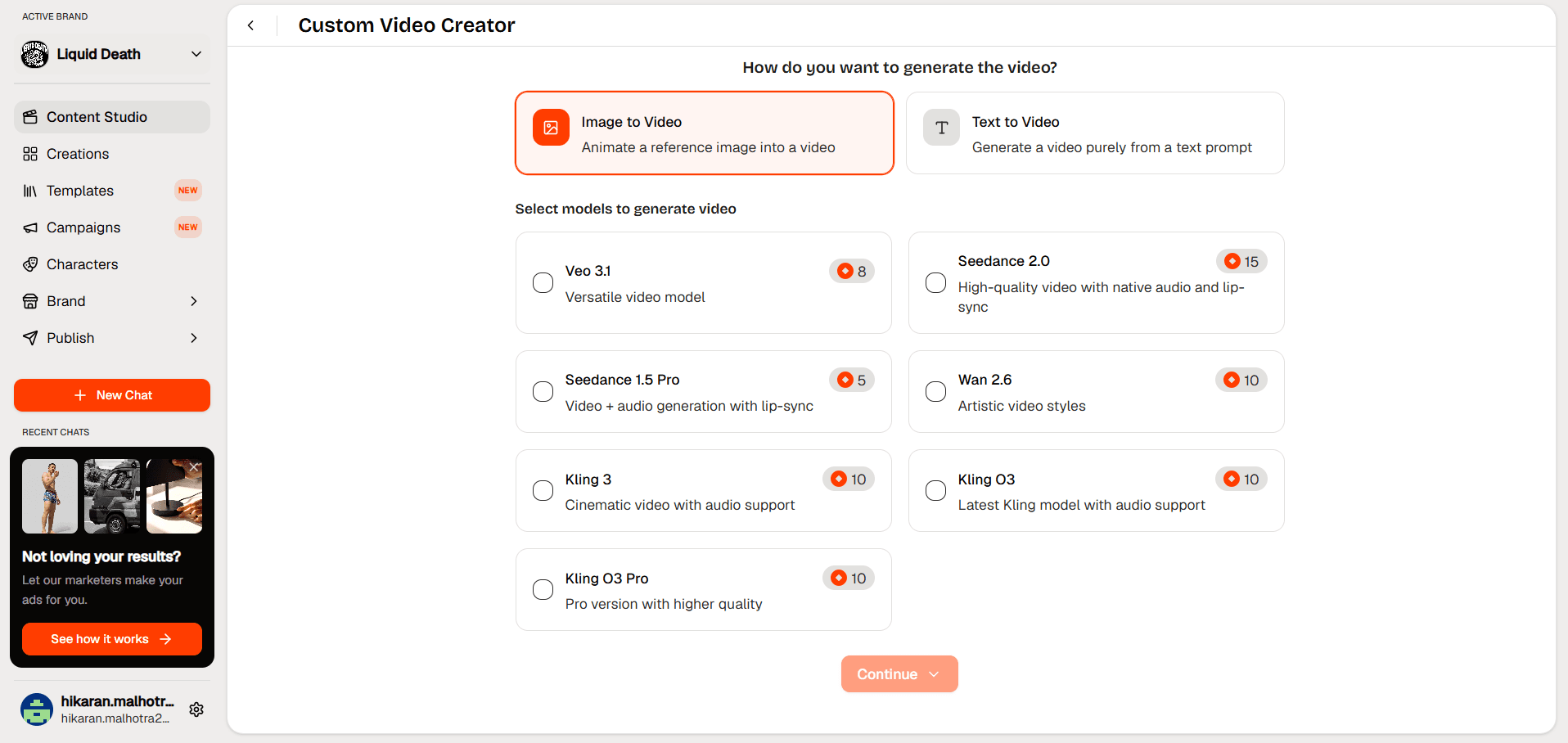
It runs on Veo 3.1, Kling 2, Sora 2, and Seedance 1, so you pick the video model that matches the look you want. Cinematic. Fast cut. Handheld. Whatever the campaign calls for.
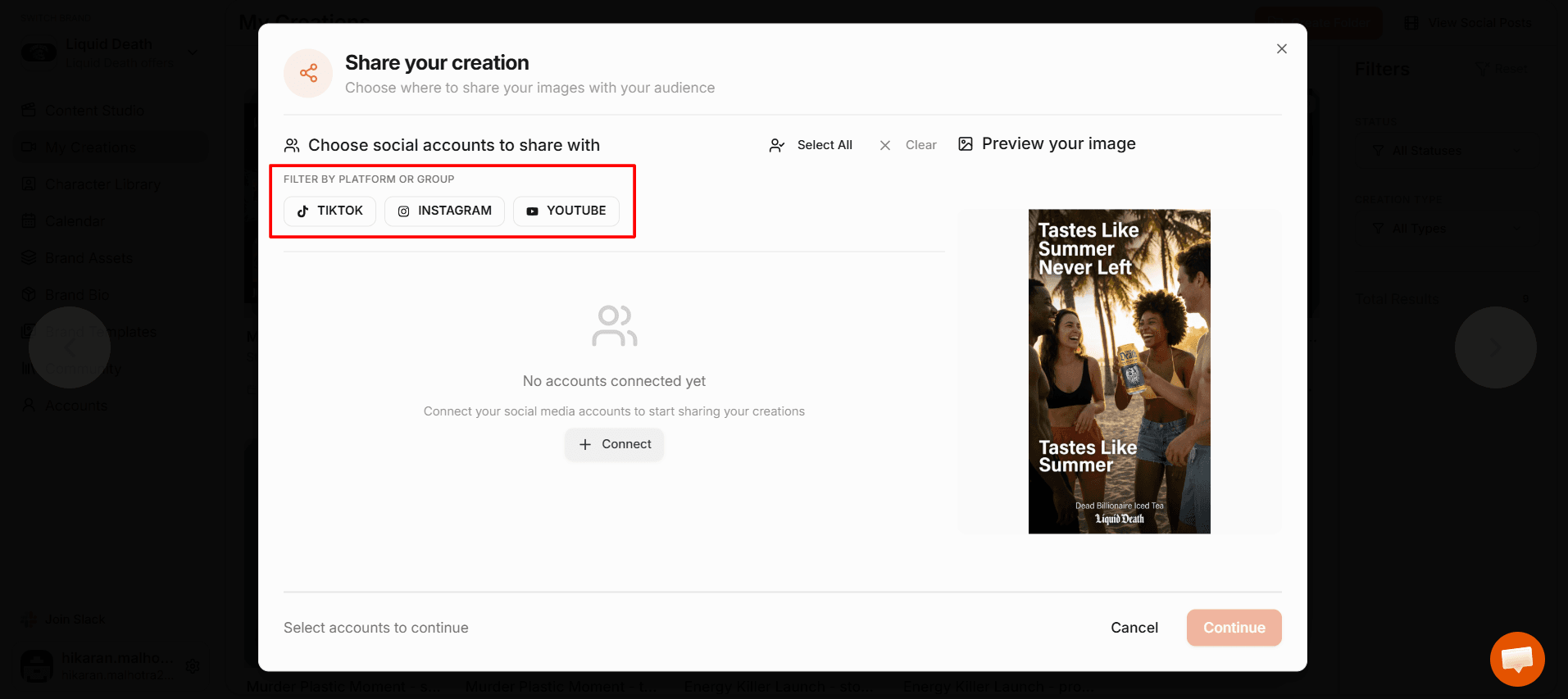
The publishing piece is what most tools skip. You create the ad and post it to TikTok, Instagram, YouTube, and Facebook from inside the platform. No exporting, no reuploading, no juggling five tabs.
- Pricing: Starts at $44.99 a month. Free trial with no watermark on exports.
- Strengths: Realistic actors holding your product. Multiple video models. Built in publishing. AI fashion photoshoots. Product URL analysis.
- Gaps: Newer platform, so the template library is smaller than the older image focused tools.
AdCreative.ai
Best for: Teams that want ad scoring and creative predictions before they spend.
AdCreative.ai generates static ad creatives and scores each one against its own performance model. The scoring is genuinely useful for teams running a lot of paid social and wanting a filter before they commit budget.
It connects to Shopify and pulls product data. The output leans heavily toward banners, display ads, and social statics.
- Pricing: Plans reported around $39 to $189 a month depending on tier and credit volume.
- Strengths: Creative scoring. Large template library. Good Shopify integration.
- Gaps: Video output is limited. No actor or UGC style content. Credit systems can burn fast when you are testing volume.
Creatify
Best for: Product URL to video ads at speed.
Creatify converts a product link into a short video ad with an AI avatar reading a script. The turnaround is fast and the interface is clean.
The avatars talk about your product, but they do not hold it. For handheld goods like skincare, supplements, or gadgets, that gap shows up on screen.
- Pricing: Free tier available. Paid plans reported starting around $33 a month.
- Strengths: Fast URL to video workflow. Solid avatar library. Batch generation.
- Gaps: No product in hand capability. Publishing requires exporting first.
Canva Magic Studio
Best for: Design work with a light AI assist.
Canva has an enormous asset library and Shopify brands already live in it. Magic Studio adds AI copy, background removal, and simple video assembly on top.
It is a design tool with AI features, not an AI ad tool. That distinction matters when you are trying to produce 20 variations in an afternoon.
- Pricing: Free tier. Canva Pro reported around $15 a month.
- Strengths: Massive template and asset library. Familiar interface. Cheap.
- Gaps: No product data extraction. Manual work on every asset. Video generation is basic.
HeyGen
Best for: Spokesperson videos and multilingual delivery.
HeyGen produces talking head videos with strong lip sync and translation across dozens of languages. If you need one script delivered in eight languages, this is where you go.
It is not built for ecommerce. There is no Shopify connection, no product page reading, no ad format presets.
- Pricing: Free tier with watermark. Paid plans reported starting around $29 a month.
- Strengths: Excellent lip sync. Strong multilingual output. Avatar quality.
- Gaps: Not ecommerce focused. No product integration. No publishing.
Pencil
Best for: Performance teams tied to Meta and TikTok ad accounts.
Pencil pulls historical ad performance data and generates new creative based on what has already worked in your account. The feedback loop is its selling point.
It needs data to work. New stores with thin ad history get generic output.
- Pricing: Reported around $119 a month and up.
- Strengths: Performance data driven. Direct ad platform connections.
- Gaps: Expensive. Needs existing ad spend history. Weaker for cold starts.
Predis.ai
Best for: Social content calendars on a budget.
Predis generates social posts, carousels, and short videos from a product link. It leans social organic more than paid performance.
Output quality varies. Good enough for feed content, thinner for paid ads where every scroll stop counts.
- Pricing: Free tier. Paid plans reported starting around $32 a month.
- Strengths: Cheap. Covers a lot of formats. Shopify app available.
- Gaps: Inconsistent quality. Weaker video. Limited creative control.
What Actually Separates a Good Shopify Ad Tool From a Bad One
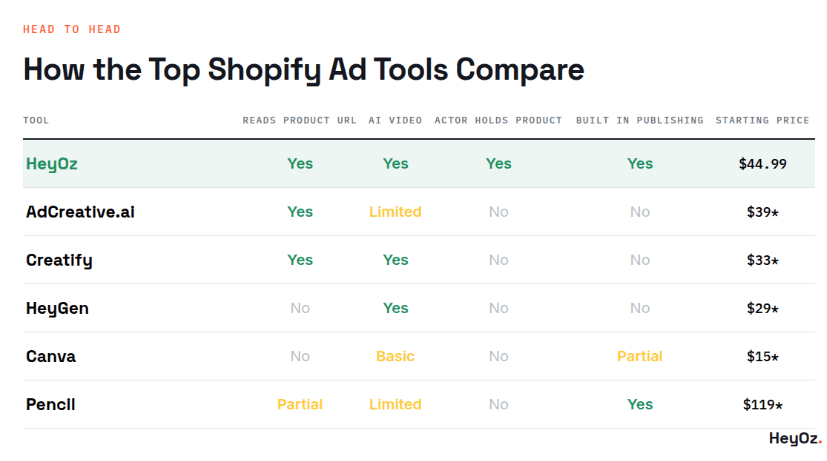
Product data extraction. Can it read your Shopify product URL and pull images, price, and copy automatically? If you are uploading assets manually, the tool is not saving you anything.
- Video, not just images. Static ads have a ceiling. Ask whether the tool generates real motion or just animates a still image with a Ken Burns pan.
- Product in hand capability. This is the single biggest gap in the category. A talking avatar next to your product is not the same as a person holding it, turning it, and using it. Buyers can tell.
- Publishing built in. Exporting a file, opening TikTok, uploading, writing a caption, and scheduling takes ten minutes per post. Multiply that by 20 posts a week.
- Variation speed. You need five hooks tested, not one hook polished. Any tool that takes 20 minutes per asset is the wrong tool.
- Watermark policy. Some tools stamp their logo on free tier exports. You cannot run that as a paid ad.
How to Create Shopify Ads With HeyOz
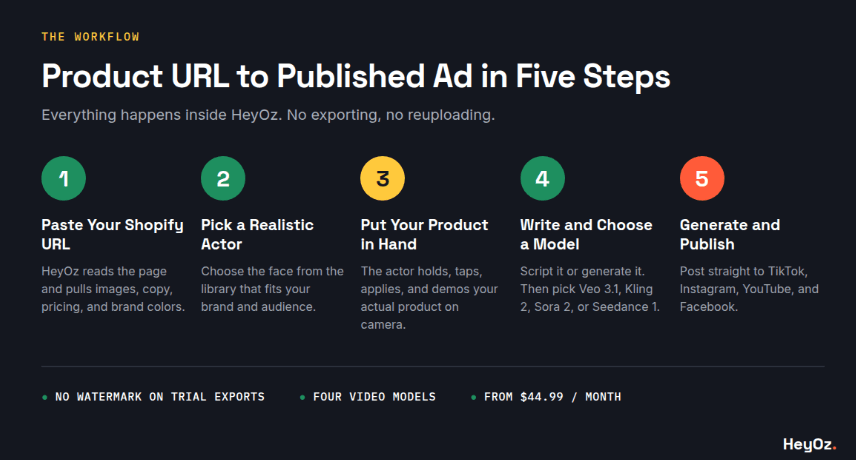
Here is the full workflow, start to finish.
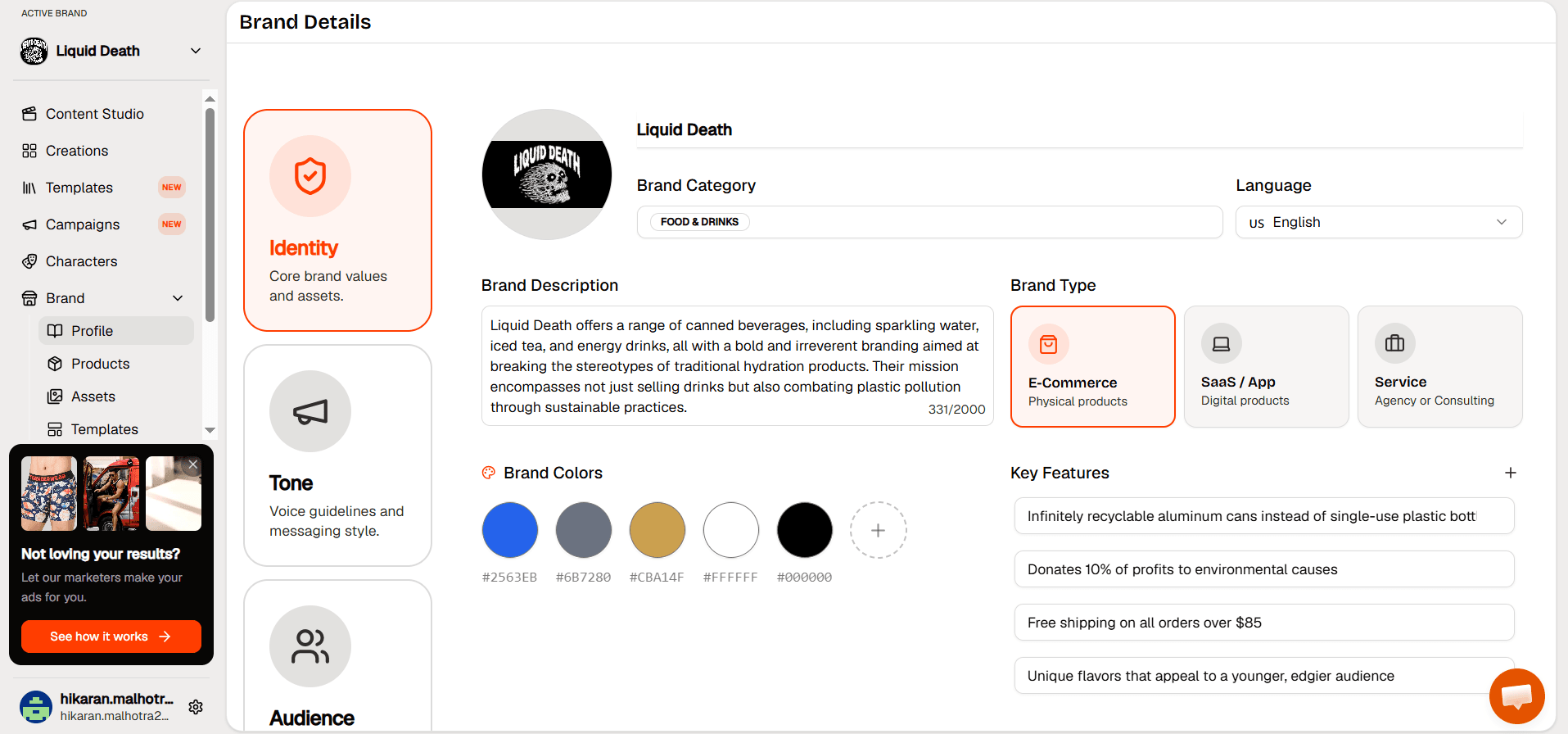
Step 1. Paste your Shopify product URL into the New Product page and click Analyze. HeyOz reads the page and pulls your product images, description, pricing, and brand colors.
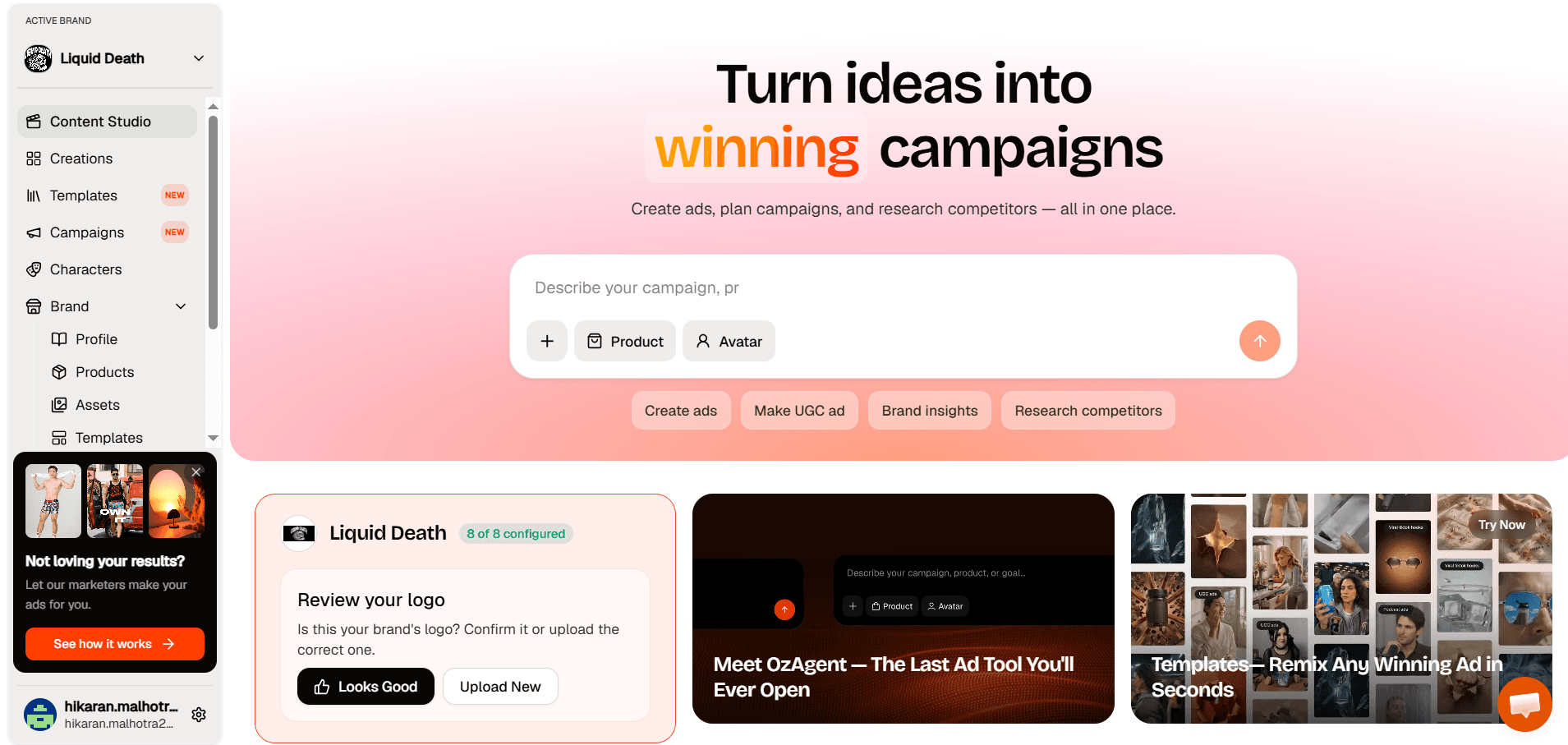
Step 2. Open the Content Studio and select Realistic Actor Video. Pick the actor from the library who fits your brand and audience.
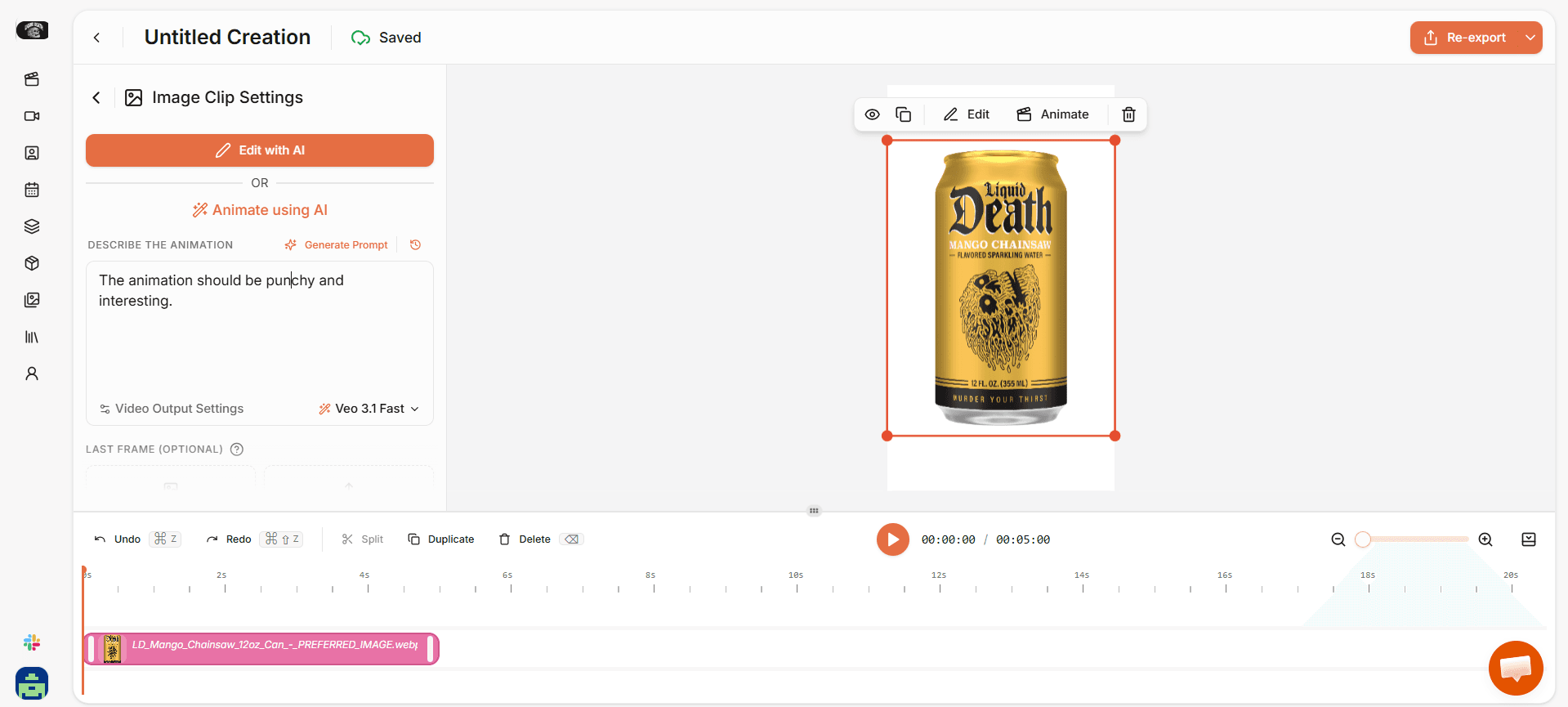
Step 3. Choose your product image so the actor holds and demonstrates your actual product on camera. Tapping, applying, holding it up to the light, whatever the format calls for.
Step 4. Write your script or generate one with the built in tool. Then pick your video model. Veo 3.1, Kling 2, Sora 2, or Seedance 1.
Step 5. Set your resolution and orientation, click Create Videos, and publish straight to TikTok, Instagram, YouTube, or Facebook from your creations panel.
Why Shopify Brands Run Their Ad Creative Through Heyoz
- AI actors hold and demonstrate your real product on camera, not a generic stand in.
- Four video models to choose from, so you match the visual style to the campaign.
- Direct publishing to TikTok, Instagram, YouTube, and Facebook without leaving the platform.
- Watermark free exports during your free trial, so your first ad can run as a paid ad.
- Flat pricing at $44.99 a month covering creation, AI fashion photoshoots, and scheduled publishing.
Pick the Tool, Then Ship 20 Ads
The stores winning on paid social are not the ones with the prettiest single ad. They are the ones testing more creative than their competitors can produce.
HeyOz gets you there fastest because it handles the hardest part of ecommerce video, which is putting a real looking person on camera with your real product, and then publishes it for you. Start the free trial, paste a product URL, and see what comes back in ten minutes.
FAQs
What is the best AI ad creator for Shopify stores?
HeyOz. It reads your Shopify product URL, generates video ads with AI actors holding your actual product, and publishes directly to TikTok, Instagram, YouTube, and Facebook. It starts at $44.99 a month with a watermark free trial.
Can I create a Shopify store with AI?
Shopify has built in AI tools like Sidekick and Magic for store copy, product descriptions, and basic setup. Those handle the store. For the ads that bring traffic to it, you need a separate AI ad creator.
Are AI generated ads allowed on Meta and TikTok?
Yes. Both platforms allow AI generated creative. TikTok requires disclosure labels on realistic AI generated content in certain categories, so check the current policy before you run actor based video.
Do I need design skills to use these tools?
No. Every tool on this list is built for marketers, not designers. You paste a product link, write a short prompt, and the tool handles the visual work.
About the author
Ahad Shams
Ahad Shams is the Founder of HeyOz, an all-in-one ads and content platform built for founders and small teams. He has worked across consumer goods and technology, with experience spanning Fortune 100 companies such as Reckitt Benckiser and Apple. Ahad is a third-time founder; his previous ventures include a WebXR game engine and Moemate, a consumer AI startup that scaled to over 6 million users. HeyOz was born from firsthand experience scaling consumer products and the need for a unified, execution-focused marketing platform.