


Key Takeaways
- HeyOz turns a Shopify product URL into finished video ads, actor demos, and static creatives inside one platform, starting at $44.99 a month.
- Most AI ad tools stop at static images. The ones worth paying for handle video, because video is what runs on TikTok and Reels.
- Look for three things before you pay: does it read your product page, does it export watermark free, and can it publish straight to your ad accounts.
- Product in hand video is the single biggest gap in the market. Almost no tool lets an AI actor physically hold and demo your product.
- Testing volume beats creative perfection. Tools that generate ten variations in an hour will outperform one polished asset every time.
Introduction
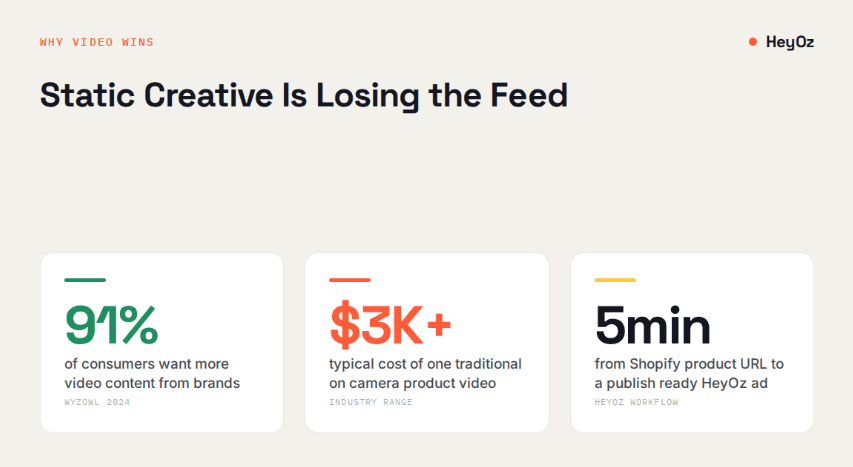
A Shopify store owner selling skincare told me she spent six weeks and $4,200 on a single product video. It underperformed a phone clip her intern shot in twenty minutes. That story repeats across thousands of DTC brands, and it explains why AI ad creation tools went from novelty to standard equipment in about two years.
Here is what actually works right now, and what to skip.
What Makes an AI Ad Tool Worth Paying For
The tools that survive contact with a real Shopify store share four traits.
They read your product page directly. You paste a URL and the tool pulls your images, pricing, copy, and brand colors. No manual uploading. No copy pasting descriptions into a form.
They generate video, not only static images. According to Wyzowl's 2024 Video Marketing report, 91% of consumers want more video content from brands. Static banner generators solve a problem most Shopify sellers stopped having.
They export clean. Watermarks on trial exports mean you cannot test the output before you commit money.
They publish where you sell. If you have to download a file, open a different app, and upload it again, you have added friction to the part of the workflow that matters most.
Everything below gets measured against those four.
Best AI Ad Creation Tools for Shopify
HeyOz
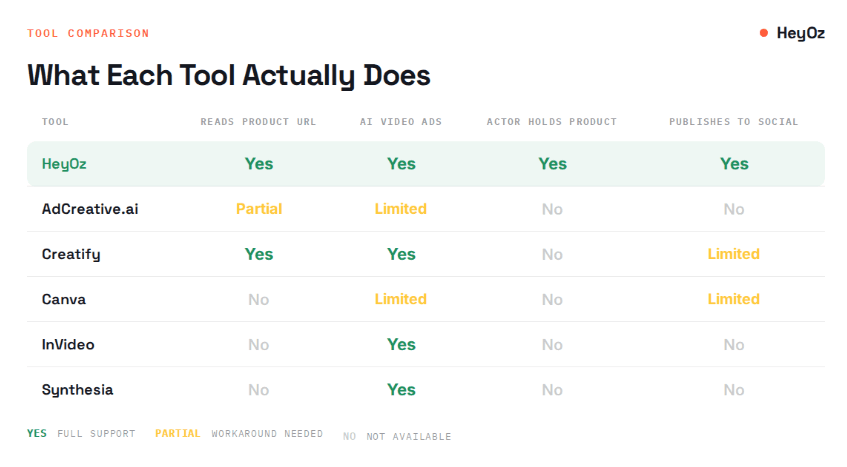
HeyOz is the one to start with, and the reason is narrow: it does video ads and product in hand actor demos, which almost nothing else does well.
You paste your Shopify product URL. HeyOz reads the page, pulls your images, colors, pricing, and product details, and drops them into a content studio. From there you pick a format. Realistic actor video, where an AI presenter holds your actual product and talks about it. Product visuals. AI fashion photoshoots. Short form video built for TikTok and Reels.
Under the hood it runs Veo 3.1, Kling 2, Sora 2, and Seedance 1, so you are picking a motion model rather than accepting whatever the platform decided to give you.
Then it publishes. TikTok, Instagram, YouTube, Facebook, straight from the same dashboard. No download, no reupload, no second tool.
Pricing sits at $44.99 a month flat. The trial exports with no watermark, which means you can run a HeyOz video as a real ad before you pay anything.
Where it fits: DTC brands and agencies who need video volume and want an on screen human holding the product.
Where it falls short: it is not a media buying platform. It makes the creative. It does not manage your bids.
AdCreative.ai
AdCreative.ai has been around long enough to have real data behind its creative scoring. You upload assets, it generates static ad variations, and it scores each one against a model trained on ad performance.
The scoring is the genuine differentiator. Most tools produce output and leave you guessing. This one tells you which variation is likely to convert.
Where it falls short: it is fundamentally a static creative tool. Video capability exists but is thin. And pricing scales quickly with credits, which stings when you are testing volume.
Creatify
Creatify built its whole product around UGC style short video. Paste a product URL, get a video with an AI avatar talking about it.
It does that job well. The avatars are decent, the hooks are reasonable, and turnaround is fast.
Where it falls short: your avatar talks about the product but does not hold it. For skincare, supplements, and any physical handheld item, that gap is visible to buyers. The product floats on screen while a person describes it.
Canva
Canva is not an AI ad tool. It is a design tool with AI features bolted on, and for a lot of Shopify sellers that is enough.
Magic Studio handles background removal, resizing across placements, and basic text generation. If your ads are mostly static and your team already lives in Canva, adding a separate tool may not be worth it.
Where it falls short: no product page ingestion, no ad performance scoring, no meaningful video generation, no publishing to ad accounts.
InVideo
InVideo turns text prompts into edited video with stock footage, music, and voiceover. It is genuinely good at making a video exist from nothing.
Where it falls short: stock footage. Your ad shows generic b roll of a woman applying generic cream, not your product. For brand building that is fine. For DTC conversion it is not.
Synthesia and HeyGen
Both are avatar video platforms built for corporate communication and training. Excellent at what they do.
Where they fall short for Shopify: they were never built for ecommerce. No product page reading, no ad formats, no social publishing, and pricing that assumes an enterprise budget.
How to Pick Without Wasting Three Months
Run this in order.
Start with your format. If your winning ads are static images, a creative scoring tool like AdCreative.ai will serve you better than a video platform. If your winning ads are short vertical video, skip the static tools entirely.
Check whether the tool reads your product URL. Manual asset uploading kills the velocity advantage you bought the tool for.
Test the watermark policy before you pay. You cannot judge output quality through a watermark, and you cannot run a watermarked ad.
Count the logins. Every tool you add to the stack is another subscription, another export step, another place where the workflow breaks.
Generate ten ads, not one. The whole point of AI ad creation is volume. A tool that makes one beautiful asset slowly has not solved your problem.
How to Create Shopify Ads With HeyOz
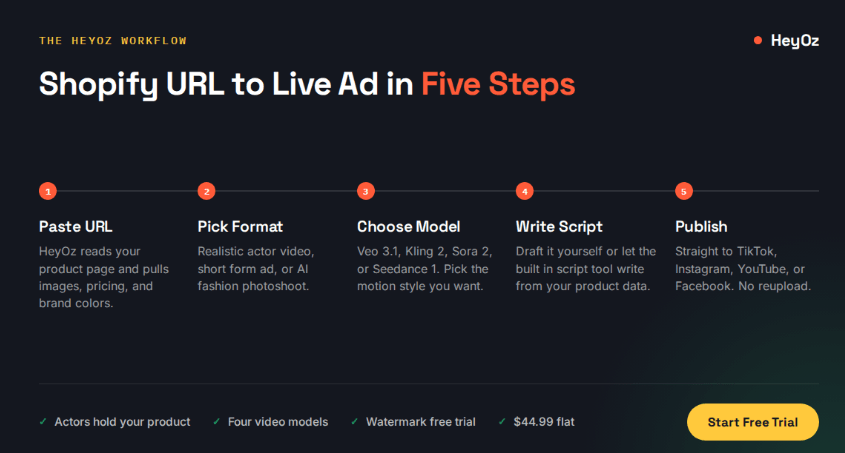
Five steps, roughly five minutes.
Step 1: Paste your Shopify product URL into the New Product page and click Analyze. HeyOz pulls your images, pricing, description, and brand colors automatically. Review what it found and edit anything that is off.
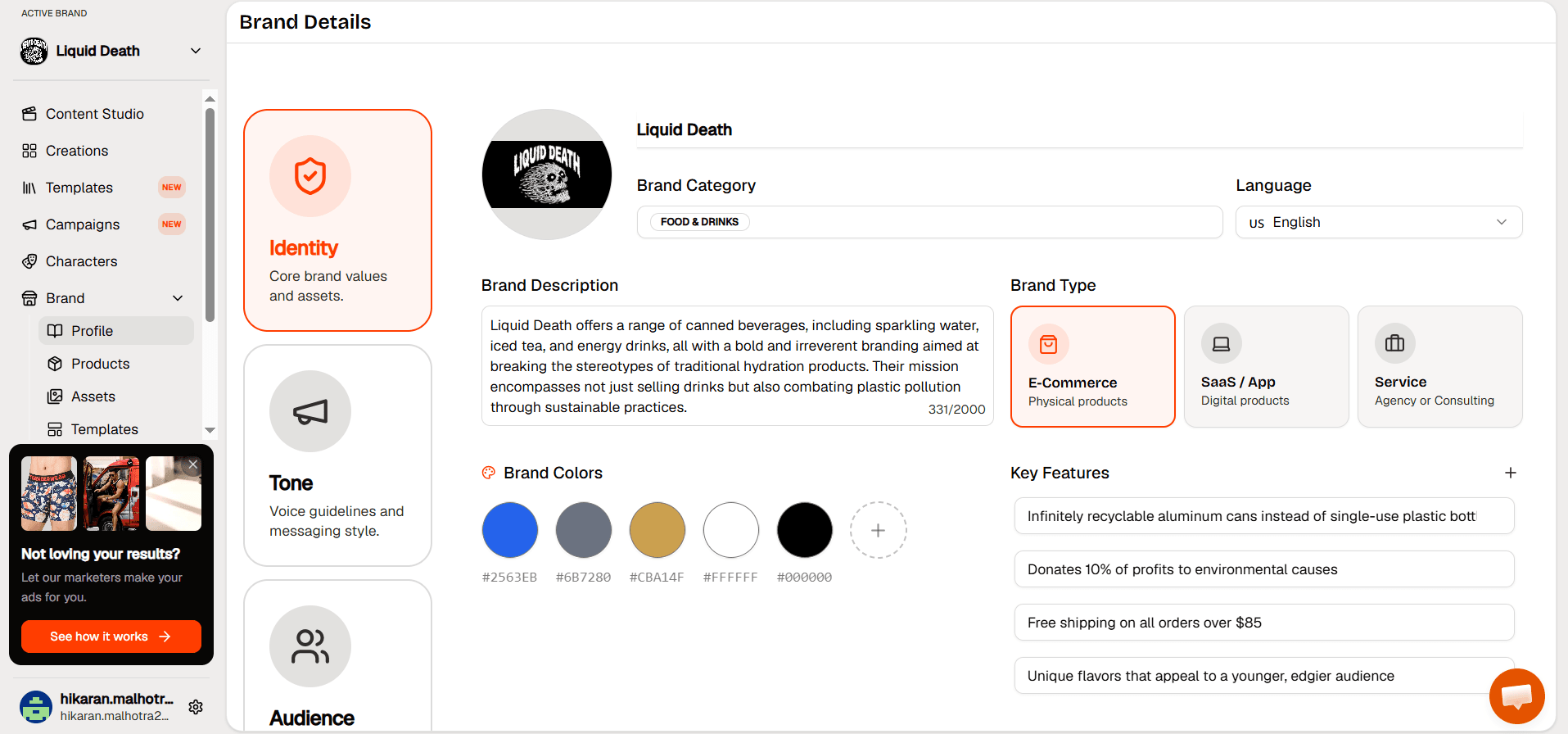
Step 2: Open the Content Studio and pick your format. Realistic Actor Video for product demos. Video Formats for short form ad creative. AI fashion photoshoot for apparel.
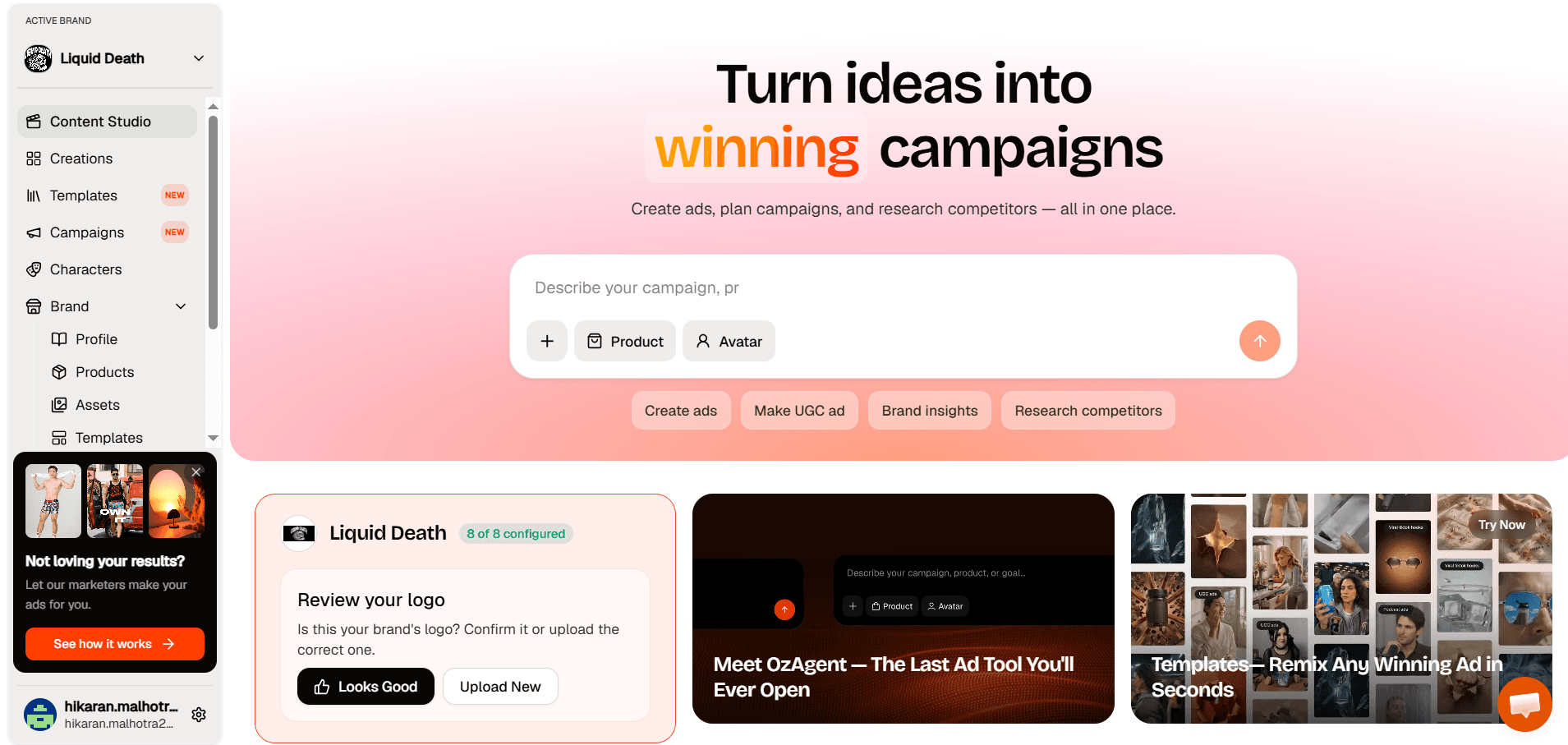
Step 3: Choose your actor and voice from the library, then pick your video model. Veo 3.1, Kling 2, Sora 2, or Seedance 1, depending on the motion style you want.
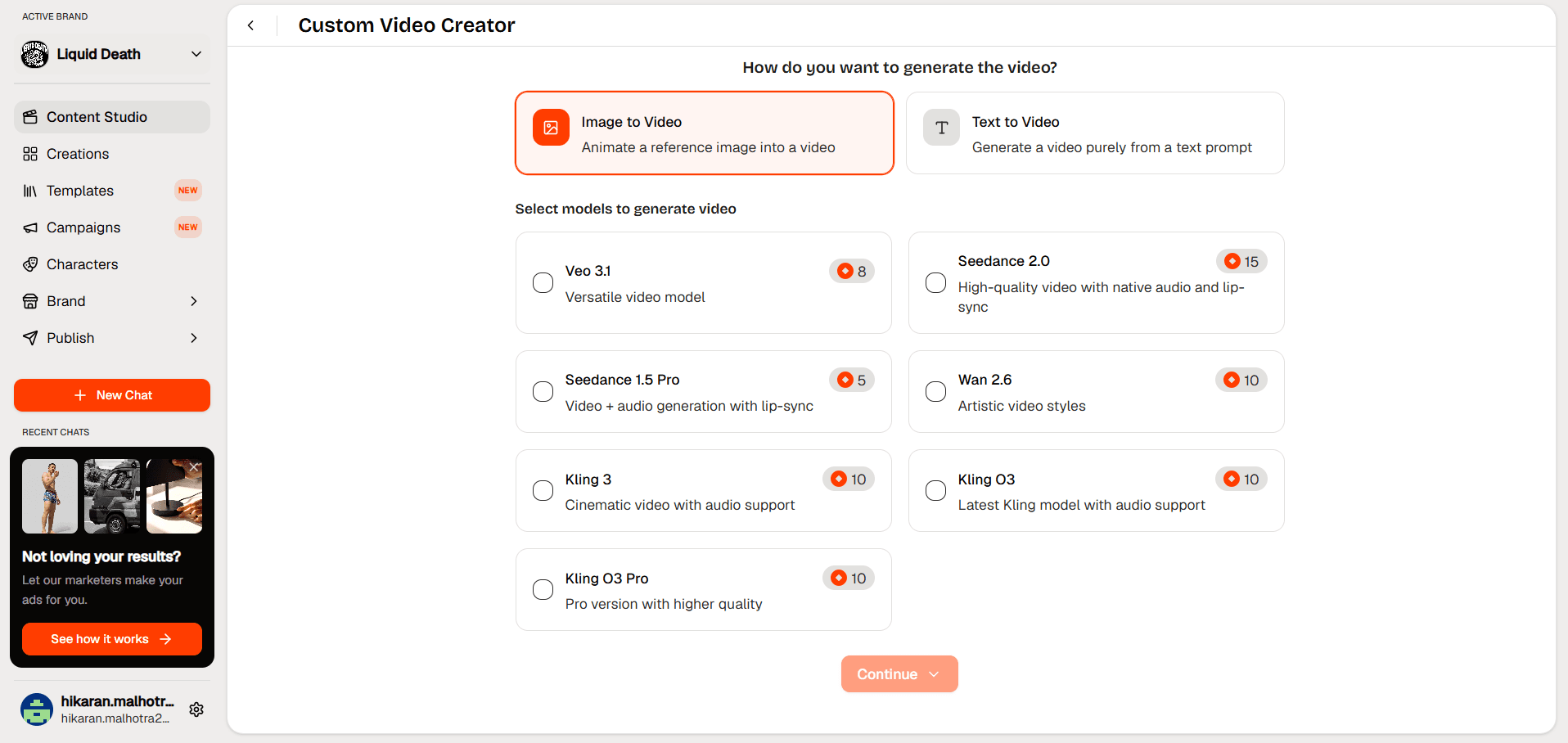
Step 4: Write your script or let the built in script tool draft it from your product details. Short lines. Direct language.
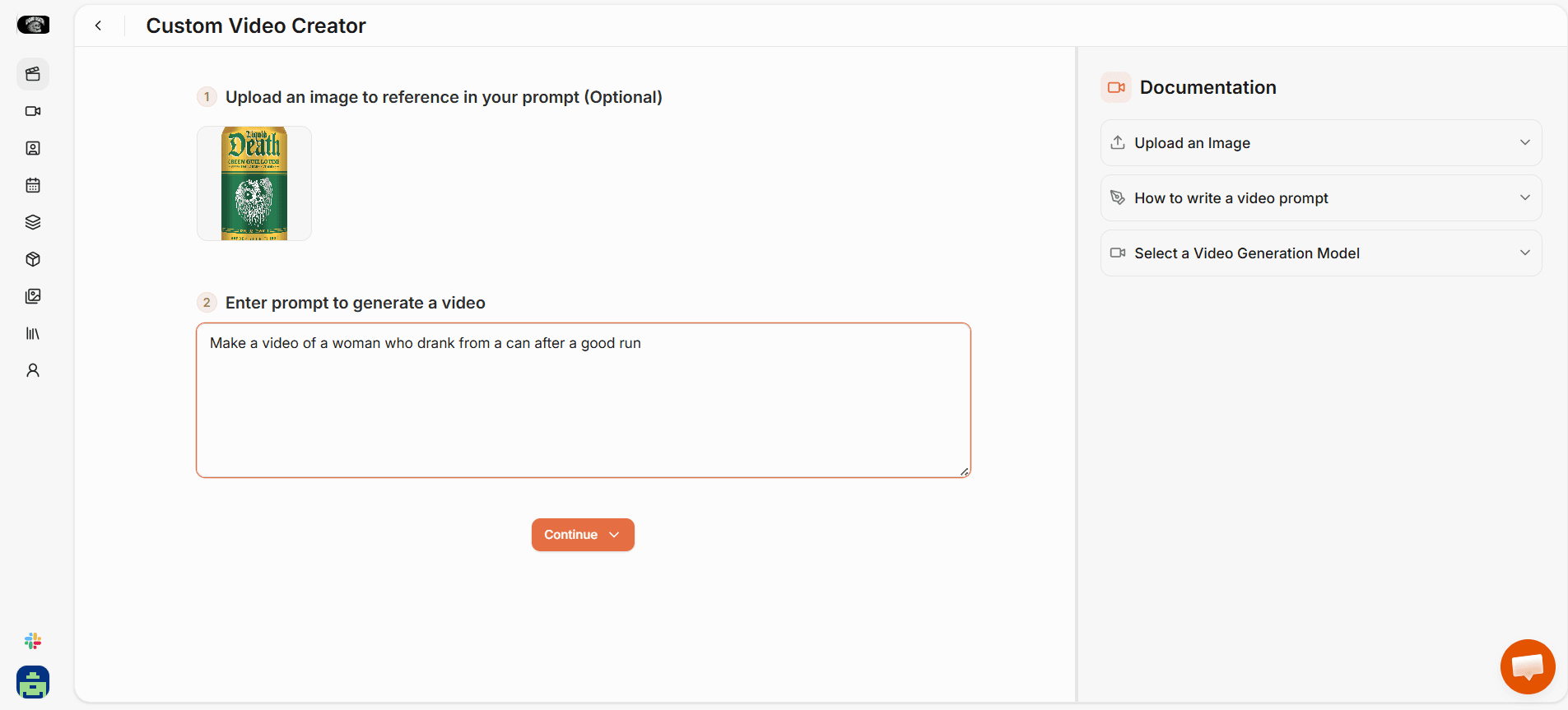
Step 5: Set resolution and orientation, click Create, then publish straight to TikTok, Instagram, YouTube, or Facebook from the creations panel.
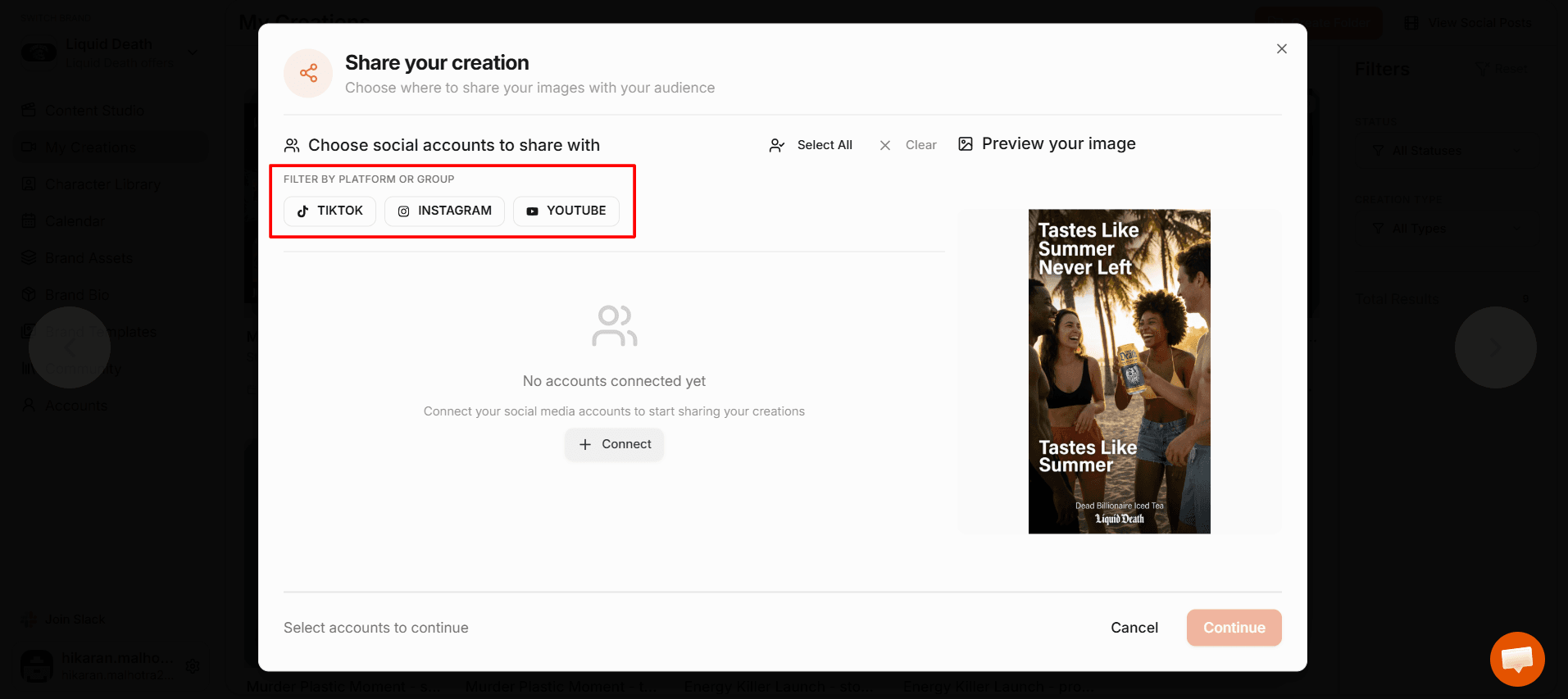
What You Get
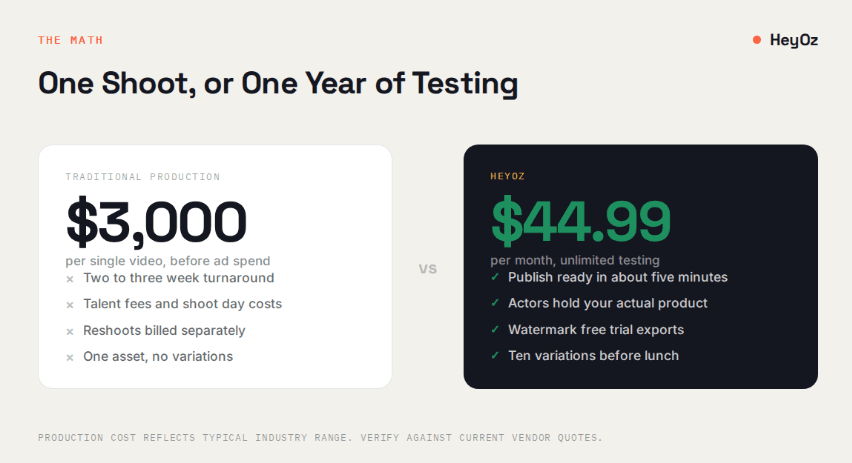
- Actors who physically hold and demonstrate your product, not describe it from a distance
- Four video models to pick from rather than one house style you cannot change
- Watermark free exports during your free trial, so you can run the ad before you pay
- Direct publishing to four platforms without leaving the dashboard
- Everything at $44.99 a month flat, no credit metering that punishes you for testing
The Real Cost of Waiting
Your competitor is running twelve creative variations this month. You are waiting on a freelancer to send version three of one video.
That is the whole race. Not who has the prettiest ad. Who tests more of them.
Start a free trial with HeyOz, paste one Shopify product URL, and see what comes out before you spend a dollar.
FAQs
What is the best AI for Shopify ad creation?
HeyOz for video and product in hand actor demos. AdCreative.ai if your ads are static and you want performance scoring. Most Shopify sellers running TikTok and Meta ads need video, which narrows the field fast.
Can AI tools for Shopify pull my product data automatically?
Some can. HeyOz reads your product URL and extracts images, pricing, copy, and brand colors. Creatify does something similar. Canva, InVideo, Synthesia, and HeyGen do not.
Do AI generated ads actually perform?
They perform when you test enough of them. The advantage is volume, not magic. Ten AI variations tested against each other will find a winner faster than one expensive production.
Is AI marketing for a Shopify store worth it under $50 a month?
Yes, if the tool covers creation and publishing. HeyOz runs $44.99 a month for both. Stacking a video tool, an editor, and a scheduler separately costs several times that.
About the author
Ahad Shams
Ahad Shams is the Founder of HeyOz, an all-in-one ads and content platform built for founders and small teams. He has worked across consumer goods and technology, with experience spanning Fortune 100 companies such as Reckitt Benckiser and Apple. Ahad is a third-time founder; his previous ventures include a WebXR game engine and Moemate, a consumer AI startup that scaled to over 6 million users. HeyOz was born from firsthand experience scaling consumer products and the need for a unified, execution-focused marketing platform.